Expert Insights: Key Takeaways
- The ES9038Q2M is a serious DAC choice for a portable local-file player. In the H20 Ultra, it sits inside a dedicated playback chain rather than a general-purpose phone or laptop audio circuit.
- Native DSD256 playback matters most with SACD-sourced rips and high-rate DSD downloads. If your library is predominantly FLAC at 24-bit/96kHz, the ES9038Q2M-based playback chain still matters because the player is built around dedicated audio conversion and amplification.
- The 4.4mm Pentaconn balanced standard is now the de facto choice for portable hi-fi — more headphone manufacturers offer 4.4mm terminations than ever before. Investing in a DAP with balanced output future-proofs your headphone cable investment.
- More than 10 hours of listed screen-saver standby playback changes how you plan a listening session. Instead of chasing exaggerated runtime claims, the safer expectation is a full home listening block between charges, with runtime varying by volume, screen use, output mode, Bluetooth use, file type, and headphone load.
- The physical volume knob on the H20 Ultra is a tactile differentiator that touchscreen-only players cannot replicate. For home listening where you want to adjust volume without looking at a screen, direct hardware control is genuinely useful.
Why Lossless Audio Formats Sound Different Through a Dedicated DAP
If you have ever wondered why the same FLAC file sounds noticeably richer through a dedicated DAP than through a laptop or portable media player, you are asking exactly the right question. The answer lives inside the hardware — specifically in the digital-to-analog conversion chain. This guide explores lossless audio formats and DAP home listening, using the HIFI WALKER H20 Ultra Hi-Res Audio Player as our reference device. If you are just getting into hi-res audio, consider this your technical primer — without the jargon overload.
Generic Playback Hardware
- Shared power rails — noisy, cross-contaminated
- Integrated SoC DAC designed for calls, not music
- No dedicated headphone amplifier stage
- Format support limited to MP3 and compressed codecs
- No balanced output — ground loops affect stereo separation
HIFI WALKER H20 Ultra Hi-Res Audio Player
- ESS ES9038Q2M flagship DAC chip, purpose-built for music
- Dual RT6862/RT6863 amplifier architecture for clean gain
- Native DSD256 decoding — no transcoding artifacts
- PCM playback for formats listed in the H20 Ultra spec
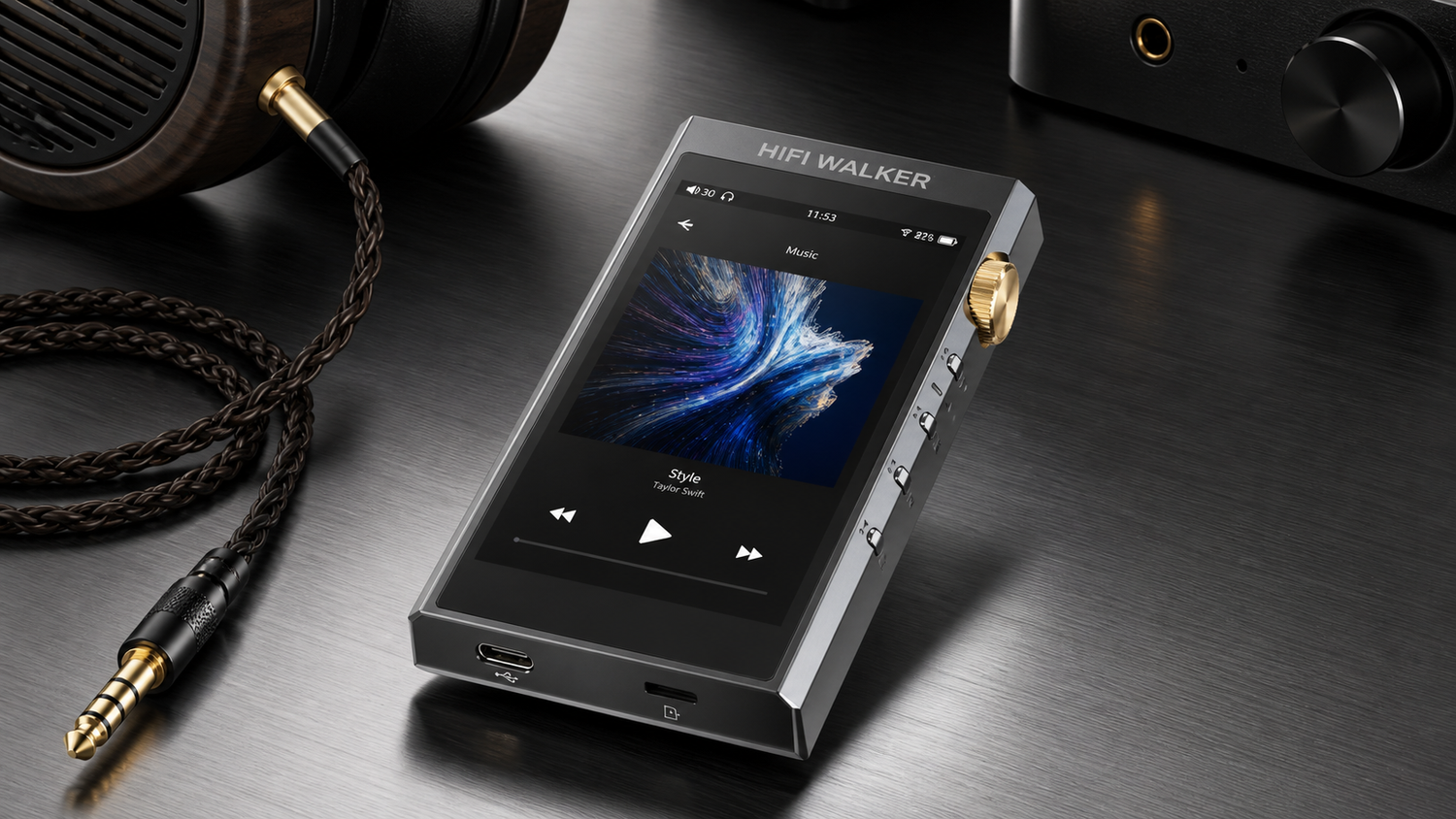
- 4.4mm balanced + 3.5mm single-ended outputs

- ►1. Why Lossless Audio Formats Sound Different Through a Dedicated DAP
- ►2. The DAC Chip Matters More Than You Think: ES9038Q2M Explained
- ►3. Lossless Format Deep Dive: DSD, FLAC, WAV, APE, ALAC
- ►4. Building Your Home Listening Setup Around the H20 Ultra
- ►5. Balanced vs. Single-Ended: Which Output Should You Use at Home?
- ►6. LDAC Bluetooth for Wireless Hi-Res at Home
- ►7. Who Should Buy the H20 Ultra: The Honest Breakdown
- ►8. Getting Started: Load Your Library and Start Listening
The DAC Chip Matters More Than You Think: ES9038Q2M Explained
At the heart of any serious DAP is the DAC chip — the silicon that converts your digital file into an analog waveform your ears can hear. The ESS ES9038Q2M inside the HIFI WALKER H20 Ultra Hi-Res Audio Player is a flagship-tier chip used in dedicated audio hardware precisely because it handles high-resolution data with vanishingly low noise and distortion. Paired with the dual RT6862/RT6863 amp architecture, the signal chain stays clean from input to output.
What does that mean in practice? Native DSD256 support is one of the H20 Ultra's clear format advantages for listeners who keep DSD files. For PCM libraries, use the model-specific format limits from the spec: WAV and AIFF up to 32-bit/384kHz, FLAC and Apple Lossless up to 24-bit/192kHz.
Lossless Format Deep Dive: DSD, FLAC, WAV, APE, ALAC
The HIFI WALKER H20 Ultra Hi-Res Audio Player supports the full spectrum of lossless and hi-res formats that audiophiles actually use: DSD, FLAC, WAV, APE, ALAC, and MP3. Each format has a different lineage and a different use case — understanding them helps you build a library that sounds its best on a dedicated player like the H20 Ultra.
DSD (Direct Stream Digital) — The Analog-Closest Format
Originally developed for SACD, DSD encodes audio as a 1-bit bitstream at very high sampling rates (DSD64, DSD128, DSD256). Native DSD256 on the H20 Ultra means zero PCM conversion — the signal chain stays in its original domain right up to the amp stage. If you own SACD rips or DSD downloads, this is where a dedicated DAP earns its place.
FLAC (Free Lossless Audio Codec) — The Everyday Hi-Res Standard
FLAC is lossless compression — the decoded audio data matches the source while using less storage than WAV. Many hi-res download libraries use FLAC at 24-bit/96kHz or 24-bit/192kHz, and the H20 Ultra spec lists FLAC support up to 24-bit/192kHz.
WAV — Uncompressed Reference Quality
WAV is raw PCM with no compression layer. It offers maximum compatibility and zero decoding overhead. Many audiophiles keep their master-quality rips in WAV for home listening. Storage is the practical trade-off — the current selling configuration includes a 128GB card, and the T-card slot supports cards up to 512GB for larger local libraries.
APE (Monkey's Audio) — Lossless Compression for Archives
APE compresses even more aggressively than FLAC but is computationally heavier to decode. It is popular in certain collector communities. Full APE support on the H20 Ultra means your entire archive — whatever format it arrived in — plays without conversion.
ALAC (Apple Lossless) — For iTunes-Era Libraries
If you built your library in iTunes and ripped CDs to ALAC, the H20 Ultra plays them without any transcoding step. ALAC is mathematically identical to FLAC in terms of audio data — the only difference is container format, and the H20 Ultra handles both.

Building Your Home Listening Setup Around the H20 Ultra
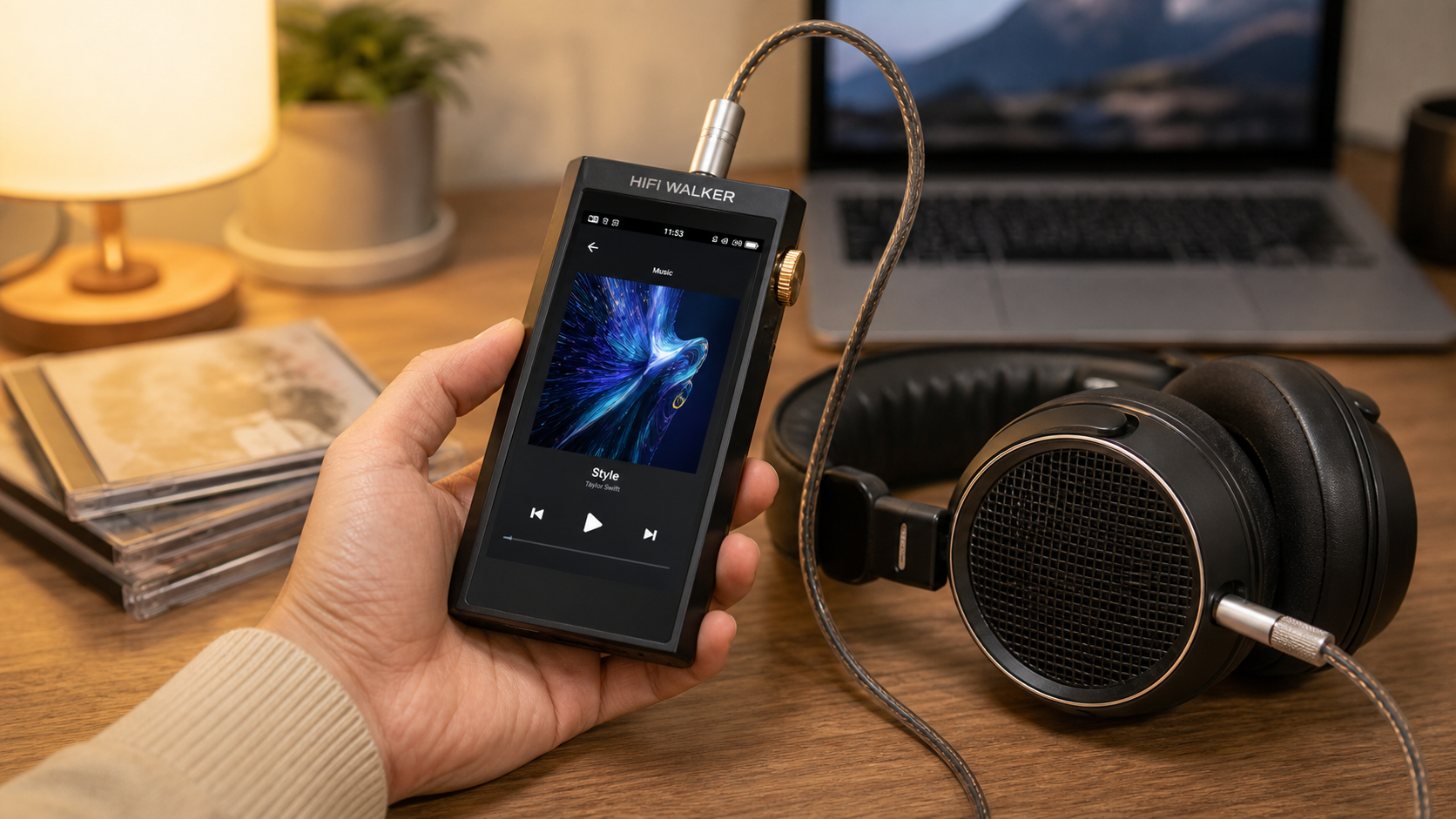
Home listening is where a dedicated player like the HIFI WALKER H20 Ultra Hi-Res Audio Player makes the most sense. At your desk or listening chair, you can use the 4.4mm balanced output, control volume from the hardware knob, and settle into a focused local-file listening session without relying on a phone.
Desktop / Stationary Setup
- Use 4.4mm balanced out to full-size planar or dynamic headphones
- 4.4mm balanced output rated at 380mW/32R
- USB DAC mode: connect to PC as external DAC/amp for PC audio
- Physical volume knob for direct hardware control
- 4-inch touchscreen for easy browsing from a listening chair
Storage Strategy for Home Libraries
- Current selling configuration includes a 128GB card
- T-card slot supports cards up to 512GB
- Organize by format: DSD folder / FLAC 24bit / ALAC legacy
- Fast USB transfer — load a new album in seconds
- No cloud dependency — your library lives on the device

Balanced vs. Single-Ended: Which Output Should You Use at Home?
The H20 Ultra offers both a 4.4mm Pentaconn balanced output and a 3.5mm single-ended output. For home listening where you have time to settle in and use proper cables, the balanced output is the stronger option when your headphone cable supports it. The H20 Ultra spec lists 4Vrms balanced output and 4.4mm balanced headphone output rated at 380mW/32R.
If your headphones terminate in 3.5mm, the single-ended output still benefits enormously from the dedicated amp stage — it outperforms any integrated solution at its price point. Pairing the H20 Ultra with a quality IEM or full-size headphone via the 3.5mm output is still a significant upgrade over generic sources. The HIFI WALKER A20Pro Hi-Fi Earphone is a natural match for the H20 Ultra's single-ended output if you prefer IEMs at your listening desk.
The H20 Ultra also functions as a USB DAC — connect it to a PC via USB and it becomes an external DAC/amp for your desktop speaker system or headphone rig. This makes it one of the most versatile home audio tools in the HIFI WALKER portable player lineup.
↑ Back to Top
Back to Top ↑LDAC Bluetooth for Wireless Hi-Res at Home
Wired is king for reference listening, but there are moments at home where you want to move freely — and the H20 Ultra's Bluetooth 5.1 with LDAC and aptX-HD gives you a higher-quality wireless option than standard Bluetooth codecs. LDAC transmits at up to 990kbps, preserving far more of your hi-res file data compared to standard Bluetooth codecs.
The two-way TX/RX design adds flexibility: use the H20 Ultra as a Bluetooth transmitter to send hi-res audio to LDAC-capable wireless headphones, or switch to receiver mode to feed the H20 Ultra's ES9038Q2M DAC from another Bluetooth source. Receiver mode can also feed the H20 Ultra from another compatible Bluetooth source.

Who Should Buy the H20 Ultra: The Honest Breakdown
The HIFI WALKER H20 Ultra Hi-Res Audio Player sits at the top of the HIFI WALKER range — and it earns that position through hardware choices, not marketing. The ES9038Q2M DAC, DSD256 support, USB DAC mode, 4.4mm balanced output, and model-specific local format support are the confirmed reasons to consider it. If you are entering hi-res audio and want to buy once and buy right at the best lossless DAP under $250 tier, this is the device.
H20 Ultra Is Ideal If You...
- Own a growing FLAC/DSD/WAV library and want to hear it properly
- Listen at home through headphones that can use the 4.4mm balanced output
- Want a USB DAC to upgrade your PC audio rig as well
- Care about balanced output and dedicated amp architecture
- Value a dedicated player rated for more than 10H in screen-saver standby playback
Also Consider These HIFI WALKER Options
- H20 Pro: one step below, still excellent — great if budget is tighter
- H2 Touch: compact touchscreen DAP for a more portable daily form factor
- H2 Mini: ultra-compact for those who want small size above all
- G7 Pro: ordinary Android music player with app flexibility
- All HIFI WALKER players ship with free delivery + 30-day return + 1-year warranty

Getting Started: Load Your Library and Start Listening
Organize Your Files by Format
Create separate folders for DSD (.dsf/.dff), FLAC (sorted by bit depth), WAV, and ALAC. The H20 Ultra's folder-based navigation makes this intuitive — your library structure in the player mirrors your folders.
Transfer via USB or microSD
Connect the H20 Ultra to your computer via USB — it mounts as a mass storage device. Drag and drop your lossless files. Alternatively, load a microSD card up to 512GB with your full archive and insert it into the card slot.
Choose Your Output
For full-size headphones at your listening desk, plug into the 4.4mm balanced output for maximum drive. For IEMs, the 3.5mm single-ended is perfectly matched. Both benefit fully from the ES9038Q2M DAC stage.
Set Playback Format Preferences
In settings, you can configure the output filter and gain stage to match your headphones. High-sensitivity IEMs pair best with low gain; power-hungry planars thrive on high gain through the balanced output.
Charge Once, Listen All Day
The battery spec is listed as 3.7V / 3000mA, with more than 10H playback in screen-saver standby condition. Charging time is listed as 3.5H, and real runtime varies with volume, screen use, Bluetooth use, output mode, file type, and headphone load.
The HIFI WALKER H20 Ultra Hi-Res Audio Player is available with free shipping, a 30-day return window, and a 1-year warranty — making it easier to try the player with your own library before you commit long-term. Browse the full range and compare models at the HIFI WALKER Hi-Res Player collection, or read our in-depth comparisons at the DAP Reviews & Comparisons blog.
Frequently Asked Questions
Q1: What lossless audio formats does the H20 Ultra support?
The HIFI WALKER H20 Ultra Hi-Res Audio Player supports DSD (native DSD256), FLAC, WAV, APE, ALAC, and MP3. For PCM libraries, the H20 Ultra spec lists WAV and AIFF up to 32-bit/384kHz, FLAC and Apple Lossless up to 24-bit/192kHz, plus DSD256 support.
Q2: Is the H20 Ultra a good lossless DAP for home listening under $250?
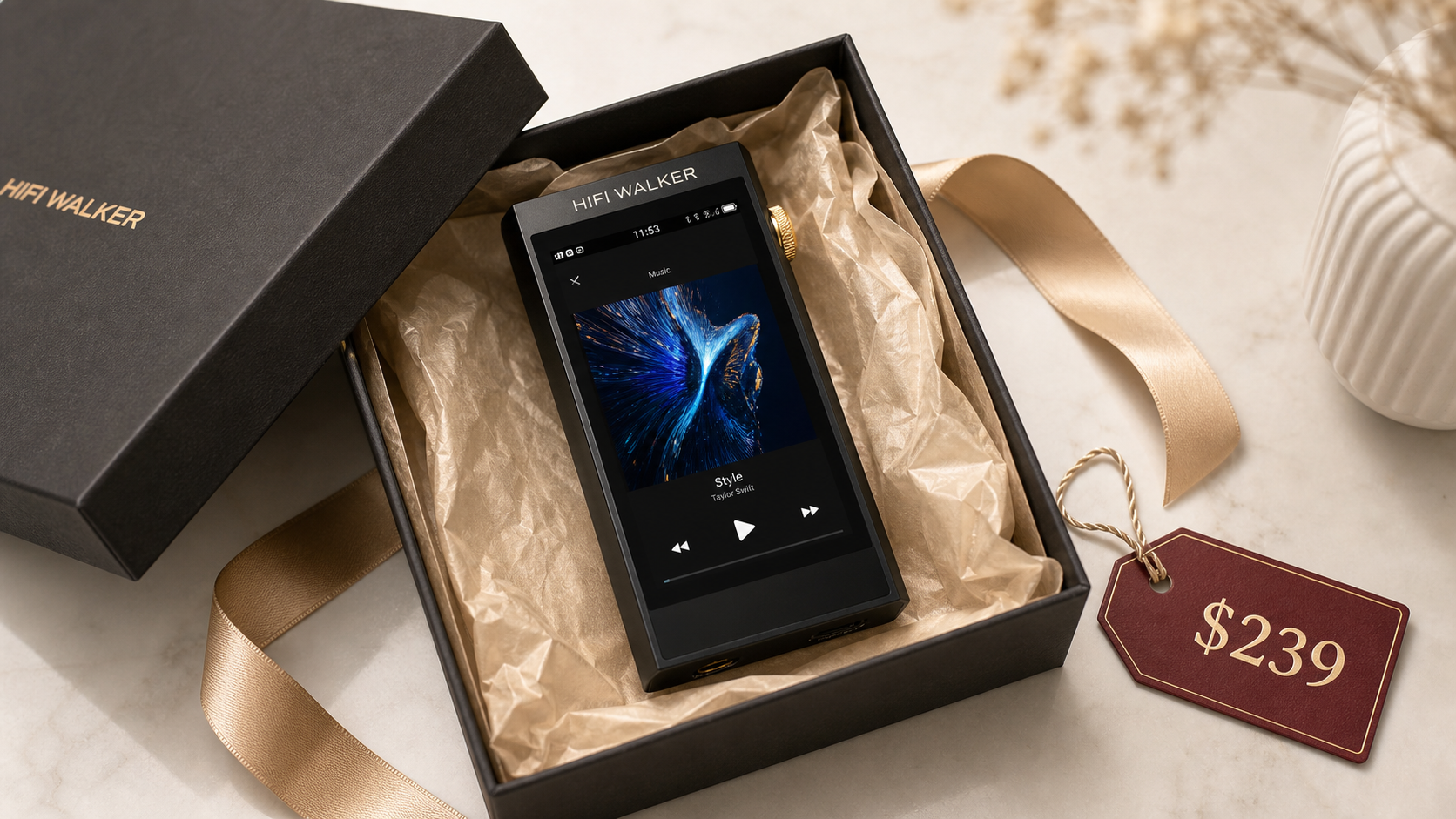
Yes — at $239.99, the H20 Ultra sits at the top of the sub-$250 DAP tier and delivers flagship-grade hardware: ESS ES9038Q2M DAC, dual RT6862/RT6863 amp, 4.4mm balanced output rated at 380mW/32R, and more than 10H playback in screen-saver standby condition. For home listening with full-size headphones, it punches well above its price class.
Q3: Can I use the H20 Ultra as a USB DAC for my desktop PC?
Yes. The H20 Ultra supports USB DAC I/O mode — connect it to your PC via USB and it acts as an external DAC and headphone amplifier for your computer. This is a significant upgrade for PC-based listening without needing a separate desktop DAC unit.
Q4: What is the difference between native DSD256 and converted DSD playback?
Native DSD256 means the H20 Ultra decodes the DSD bitstream directly without converting it to PCM first. Converting DSD to PCM before playback introduces additional processing steps that can add noise and alter the character of the original recording. Native decoding preserves the original signal path as the recording engineer intended.
Q5: Does the H20 Ultra come with a warranty and return policy?
Yes. All HIFI WALKER products ship with free delivery, a 30-day return and exchange window, and a 1-year manufacturer warranty. You can purchase with confidence knowing the device is fully covered if you are not satisfied.