Última actualización: 26 de junio de 2026
Opiniones de Expertos: Optimización del Reproductor de Música Android 2026
- El mezclador de audio predeterminado de Android remuestrea el 90 % de los archivos de música a 48 kHz; apps como Poweramp con la Salida Hi-Res activada evitan esto por completo, pero solo el hardware dedicado como el G7 Pro puede garantizar que el DAC reciba la señal completa sin alterar.
- El EQ paramétrico ofrece 10 veces más precisión de corrección que el EQ gráfico: esencial para compensar picos específicos de respuesta en frecuencia en los auriculares. El control del factor Q te permite corregir una resonancia de 200 Hz sin tocar las bandas de 150 Hz o 250 Hz.
- Los DAPs Android dedicados eliminan la interferencia de RF del smartphone que degrada los circuitos de audio sensibles hasta en 15 dB de SNR. En IEMs sensibles de menos de 16 ohmios, esta diferencia se nota como una reducción del ruido de fondo en los pasajes silenciosos.
- El LDAC a 990 kbps transmite casi 3 veces más datos que el SBC estándar, pero el códec solo se activa cuando la fuente y los auriculares lo negocian. Verifica siempre la negociación del códec en las Opciones de Desarrollador en lugar de asumir que el LDAC está activo.
¿Qué Hace que un Reproductor de Música para Android Sea Excelente en 2026?
Encontrar el mejor reproductor de música para Android en 2026 significa ir más allá de una simple app de listas de reproducción. La combinación adecuada de software y hardware puede transformar tu experiencia de escucha: de un audio confuso y remuestreado a una reproducción nítida y perfecta bit a bit. Esta guía cubre las mejores apps, los ajustes de experto y el hardware dedicado que lo lleva todo al siguiente nivel.
Ya sea que estés organizando una biblioteca FLAC, transmitiendo Tidal HiFi o exprimiendo la mejor calidad de Spotify Premium, tu elección de app de reproductor de música Android, y el dispositivo que la ejecuta, determina el límite de tu calidad de sonido. Esto es todo lo que necesitas saber en 2026.
Prioridades de Software
- Evita el remuestreo a 48 kHz de Android
- EQ paramétrico para un ajuste preciso
- Compatibilidad nativa con DSD y FLAC Hi-Res
- Reproducción sin pausas para álbumes en directo
- Biblioteca offline + compatibilidad con streaming
Prioridades de Hardware
- Chip DAC ESS Sabre dedicado
- Salida balanceada de 2,5 mm / 4,4 mm
- Sistema Android completo para instalar apps
- Más de 45 horas de batería
- Circuito de audio libre de interferencias

Un reproductor de música Android dedicado combina apps potentes con hardware para audiófilos diseñado específicamente para ello.
- ►1. ¿Qué Hace que un Reproductor de Música para Android Sea Excelente en 2026?
- ►2. Las Mejores Apps de Reproductor de Música para Android en 2026: Comparadas
- ►3. Ajustes de Audio Esenciales de Android que Transforman tu Sonido
- ►4. Cómo Crear tu Biblioteca de Música Digital Perfecta
- ►5. Audio Avanzado: EQ, Remuestreo y Salida Bit a Bit Explicados
- ►6. Por Qué el HIFI WALKER G7 Pro Supera a los Smartphones para Música
- ►7. Apps de Streaming en el G7 Pro: Spotify, Tidal y Más
- ►8. Solución de Problemas Comunes del Reproductor de Música Android
- ►9. ¿Qué Configuración de Reproductor de Música Android es la Adecuada para Ti?
Las Mejores Apps de Reproductor de Música para Android en 2026: Comparadas
Las mejores apps de reproductor de música Android de 2026 comparten un rasgo fundamental: luchan por recuperar tu audio del procesamiento a nivel de sistema de Android. Tras pruebas exhaustivas tanto en smartphones como en DAPs dedicados, estas tres apps ofrecen sistemáticamente la mayor calidad de sonido en distintos casos de uso.
Poweramp sigue siendo el referente para los usuarios de reproductor de música para Android que priorizan la reproducción de archivos locales. Su remuestreador personalizado, la compatibilidad con 32 bits/384 kHz y el EQ paramétrico lo sitúan por delante de cualquier app de fábrica. UAPP es la especialista: evita por completo el mezclador de audio de Android, lo que la convierte en la compañera perfecta para DACs externos y para la salida de hardware dedicado del Reproductor Android HIFI WALKER G7 Pro.
Instala Poweramp desde Google Play
Descarga y activa la versión completa ($4.99). Ve a Ajustes > Audio > Salida y selecciona «Salida Hi-Res» para habilitar la reproducción a nivel de hardware en los dispositivos compatibles.
Activa la Salida Hi-Res
En los ajustes de Salida de Audio de Poweramp, selecciona la opción de salida Hi-Res nativa de tu dispositivo. En el G7 Pro, esto desbloquea una reproducción perfecta bit a bit de 32 bits/384 kHz a través del DAC ESS integrado.
Configura el EQ Paramétrico
Cambia del EQ gráfico de fábrica al EQ Paramétrico en los ajustes del Ecualizador de Poweramp. Ajusta el factor Q y la ganancia para una precisión quirúrgica, ideal para afinar los auriculares A20Pro a tu gusto.
Configura la Reproducción sin Pausas
Activa «Reproducción sin Pausas» y «Escaneo de Pre-ganancia» en los ajustes de reproducción de Poweramp. Esto garantiza transiciones fluidas entre pistas en álbumes en directo y mezclas de DJ, sin cortes audibles.
Ajustes de Audio Esenciales de Android que Transforman tu Sonido
Antes de que cualquier app pueda dar lo mejor de sí, hay que optimizar los ajustes del sistema de tu dispositivo Android. Estos ajustes funcionan tanto en dispositivos Android estándar como en DAPs dedicados, y varios están ocultos en menús que la mayoría de los usuarios nunca descubre. Aplicados en conjunto, eliminan las fuentes más comunes de degradación del audio.
Desactiva el Procesamiento de Sonido del Fabricante
Ve a Ajustes > Sonido > Calidad de Sonido y Efectos. Desactiva cualquier mejora del fabricante (Dolby Atmos, Samsung Sound Alive, etc.). Estas capas enturbian la mezcla original e impiden que tu app de reproductor de música ofrezca un audio puro y sin colorear.
Desbloquea las Opciones de Desarrollador
Ve a Ajustes > Información del Teléfono > Número de Compilación. Toca «Número de Compilación» siete veces para desbloquear las Opciones de Desarrollador. Esto revela controles críticos de códec de audio y frecuencia de muestreo.
Selecciona el Códec Bluetooth LDAC
En Opciones de Desarrollador > Códec de Audio Bluetooth, cambia de SBC a LDAC o aptX HD. Este simple cambio puede triplicar la calidad del audio por Bluetooth cuando se combina con auriculares compatibles: una mejora considerable para la escucha inalámbrica.
Desactiva el Volumen Absoluto
En Opciones de Desarrollador, desactiva «Volumen Absoluto» para evitar el recorte digital a volúmenes altos. Esto te da un control de volumen más fino y protege tus auriculares.
Ajusta la Frecuencia de Muestreo a la Resolución Nativa
Donde sea compatible, ajusta manualmente la frecuencia de muestreo para que coincida con tus archivos de música. En la mayoría de las bibliotecas FLAC esto es 44,1 kHz o 96 kHz. Las frecuencias de muestreo no coincidentes obligan al remuestreador de Android a activarse, degradando la calidad.
Consejo de experto: en el Reproductor Android HIFI WALKER G7 Pro, muchos de estos ajustes ya vienen preoptimizados a nivel de firmware. El sistema de audio dedicado evita por defecto el problemático remuestreo a 48 kHz de Android, lo que te da mejoras de calidad inmediatas sin necesidad de ajustes manuales.
Cómo Crear tu Biblioteca de Música Digital Perfecta
Una biblioteca de música bien organizada es la base de cualquier gran experiencia con el mejor reproductor de música Android. Ya sea que estés organizando archivos FLAC locales o gestionando contenido descargado de streaming, una buena organización ahorra tiempo y garantiza que la vista de biblioteca de tu app se mantenga rápida y precisa, incluso con miles de pistas.
Estructura de Carpetas
- Música/[Artista]/[Año] - [Álbum]/
- Nomenclatura: [Núm. Pista] - [Título].flac
- Guarda los archivos Hi-Res en almacenamiento interno rápido
- Guarda una copia de seguridad en la microSD
- Carpetas separadas para DSD (.dsf) y PCM
Buenas Prácticas de Metadatos
- Usa MusicBrainz Picard para un etiquetado preciso
- Completa: Artista, Artista del Álbum, Álbum, Año, Género
- Incrusta la carátula del álbum a un mínimo de 500x500 px
- Procesa por lotes con Mp3tag para colecciones grandes
- Las etiquetas de Artista del Álbum consistentes permiten un orden correcto de las recopilaciones
La carátula incrustada (mínimo 500x500 px) garantiza que la portada se muestre correctamente en cualquier app de reproductor de música Android, incluso sin conexión a internet. El almacenamiento microSD ampliable del G7 Pro admite hasta 512 GB, dándote espacio para miles de álbumes sin pérdida junto con tus apps de streaming.

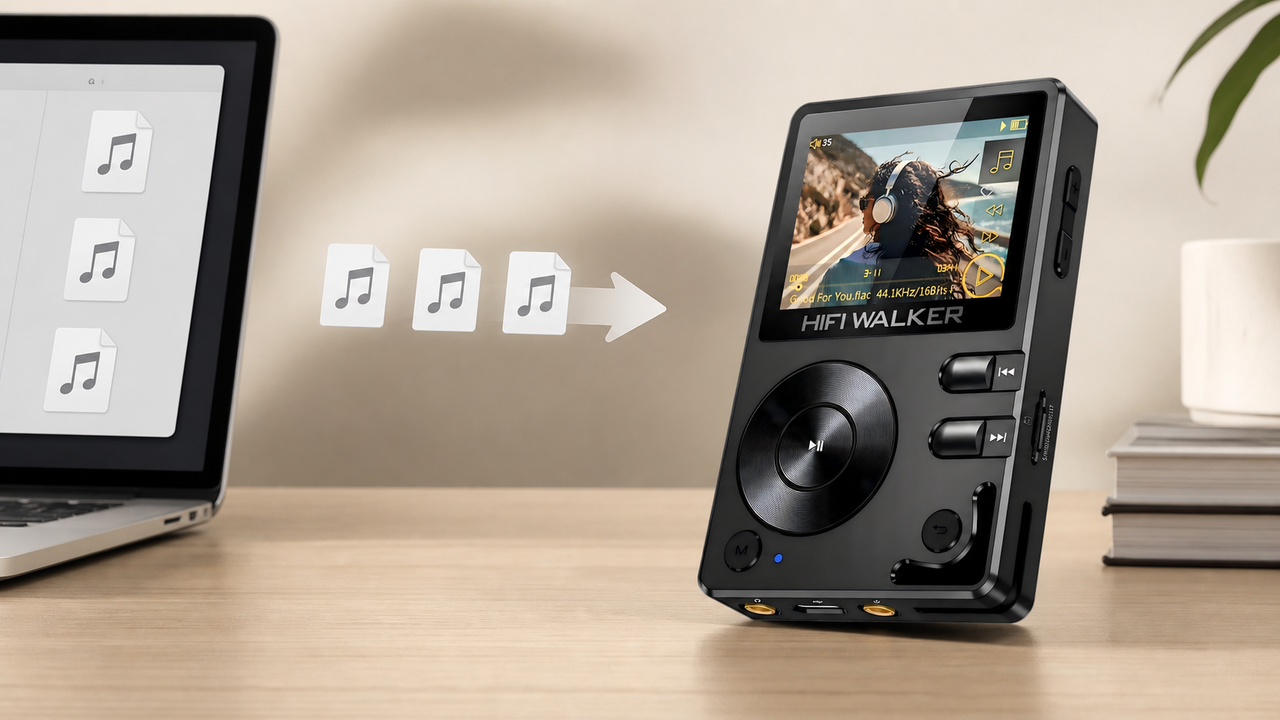
Organiza bien tus archivos FLAC y Hi-Res antes de transferirlos a tu reproductor de música Android, para la mejor experiencia de navegación por la biblioteca.
Audio Avanzado: EQ, Remuestreo y Salida Bit a Bit Explicados
Entender las características técnicas que distinguen a las apps de reproductor de música para Android de nivel profesional de las alternativas básicas te ayuda a tomar decisiones informadas. Estas tres áreas (ecualización, remuestreo y salida bit a bit) son las que más impacto real tienen en la calidad del sonido.
El Problema del Remuestreo: el mezclador de audio de Android remuestrea todo el audio a 48 kHz, sin importar la frecuencia nativa del archivo de origen. Esto introduce ruido de cuantización y jitter de temporización. Apps como Poweramp y UAPP incluyen remuestreadores personalizados, o evitan por completo el mezclador de Android, para preservar la frecuencia de muestreo y la profundidad de bits originales de tu música hasta llegar al DAC.
Una verdadera reproducción bit a bit perfecta significa que los datos digitales de tu archivo llegan al DAC completamente sin alterar: sin ajuste de volumen, sin EQ, sin procesamiento del mezclador del sistema. Lograr esto en un teléfono estándar requiere apps de terceros. En un dispositivo dedicado como el Reproductor Android HIFI WALKER G7 Pro, la arquitectura de hardware está diseñada específicamente para esto: el DAC ESS Sabre recibe una señal limpia y sin procesar por diseño.

↑ Volver Arriba
Volver Arriba ↑Por Qué el HIFI WALKER G7 Pro Supera a los Smartphones para Música
Incluso la mejor app de reproductor de música Android tiene un límite cuando funciona sobre hardware de smartphone. El Reproductor Android HIFI WALKER G7 Pro ($104.00) elimina esos cuellos de botella gracias a un circuito de audio diseñado específicamente para ello, la flexibilidad de un sistema Android completo y un sistema pensado para hacer una sola cosa excepcionalmente bien: reproducir música.
Diseño Libre de Interferencias: los DAPs dedicados aíslan los componentes de audio de las fuentes de RF, lo que da como resultado un ruido de fondo más bajo y un rango dinámico notablemente mejorado, especialmente audible con auriculares in-ear sensibles como los Auriculares HIFI WALKER A20Pro Hi-Fi.
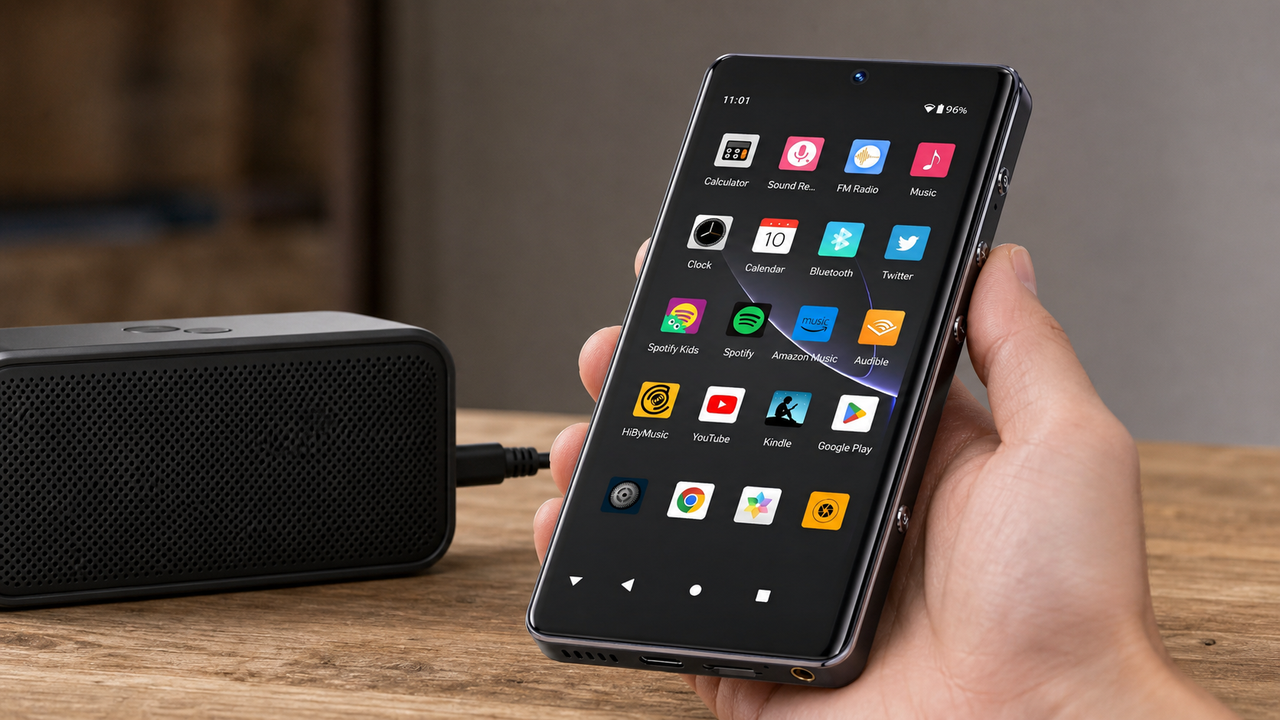
Android Completo = Libertad Total de Apps: a diferencia de los DAPs que no son Android, el G7 Pro funciona con un sistema Android completo. Instala Poweramp para la reproducción local de FLAC, UAPP para una salida DAC bit a bit perfecta, Spotify para streaming, o cualquier otra app de la Play Store. Obtienes hardware para audiófilos y todo el ecosistema musical de Android al mismo tiempo.

Apps de Streaming en el G7 Pro: Spotify, Tidal y Más
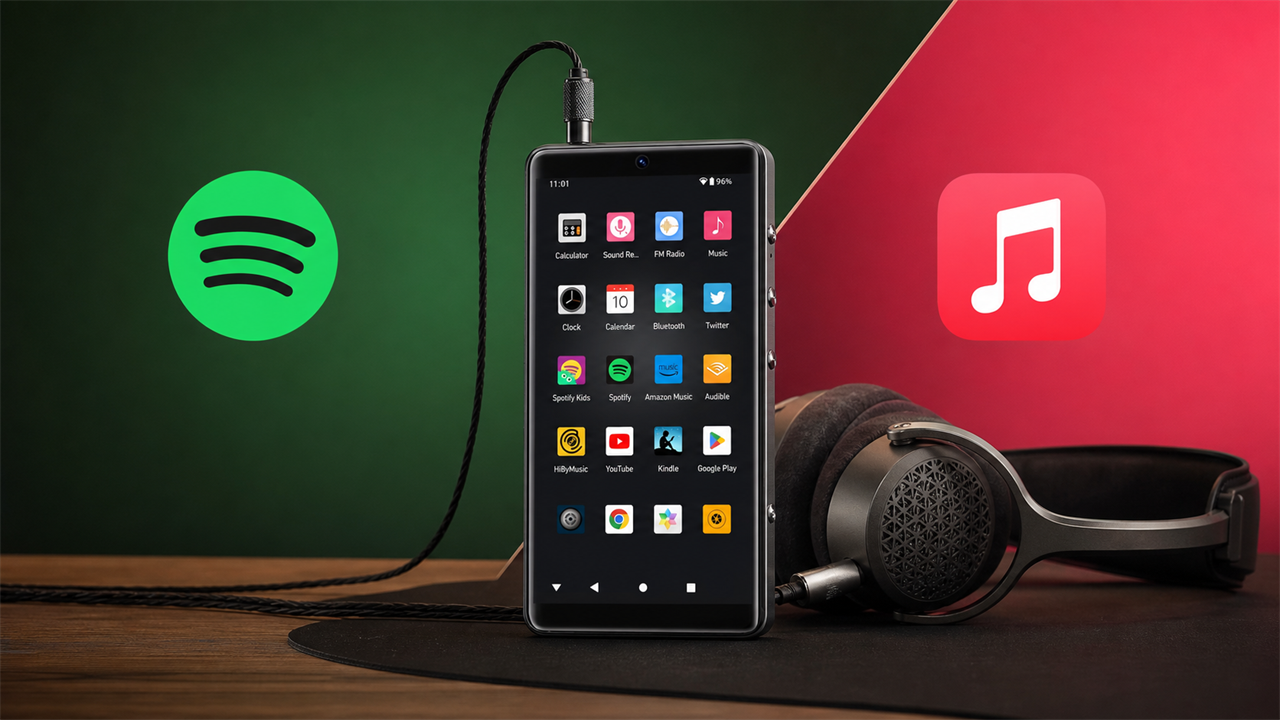
Los servicios de streaming populares muestran todo su potencial cuando funcionan sobre hardware de audio dedicado. Gracias al sistema Android completo del HIFI WALKER G7 Pro, instalas las apps de streaming directamente desde Google Play, sin concesiones ni soluciones improvisadas.
Spotify Premium en el G7 Pro
- Descarga toda tu biblioteca en Muy Alta (OGG de 320 kbps)
- Reproducción offline mediante microSD ampliable
- Navegación fluida por listas de reproducción extensas
- Bluetooth LDAC para escucha inalámbrica
- El amplificador de potencia limpio elimina el ruido en IEMs sensibles
Tidal HiFi en el G7 Pro
- Streaming FLAC realmente sin pérdida hasta 24 bits/96 kHz
- El DAC ESS Sabre gestiona el primer despliegue de MQA
- El streaming bit a bit perfecto evita el remuestreo de Android
- Más de 45 horas de batería para sesiones prolongadas
- Descargas offline en calidad sin pérdida
La ruta de audio dedicada del G7 Pro evita el remuestreo y la compresión dinámica que se producen cuando las apps de streaming funcionan en teléfonos de propósito general. El resultado: el catálogo sin pérdida de Tidal realmente suena sin pérdida, y las transmisiones de 320 kbps de Spotify se benefician de una amplificación limpia en lugar de las ruidosas etapas de salida de un smartphone.

Los DAPs Android dedicados como el G7 Pro resuelven los problemas de calidad de audio más comunes que afectan a las apps de música en los teléfonos estándar.
Solución de Problemas Comunes del Reproductor de Música Android
Incluso el mejor reproductor de música para Android presenta problemas ocasionales. Estas soluciones abordan los problemas más reportados por los audiófilos en 2026, cubriendo tanto la configuración de software como la compatibilidad de hardware.
Cortes en la Reproducción sin Pausas
Si las pistas tienen cortes audibles durante la reproducción del álbum, activa «Reproducción sin Pausas» en los ajustes de tu app y ejecuta un «Escaneo de Pre-ganancia» (Poweramp) para analizar las transiciones. Comprueba también que tus archivos no tengan silencios incrustados en los límites de las pistas, un problema común en los CDs rippeados.
Los Archivos Hi-Res No Reproducen por Encima de 48 kHz
Los teléfonos estándar suelen limitar la salida de hardware a 48 kHz/24 bits. Comprueba las especificaciones de hardware de tu dispositivo, o pásate a un DAP dedicado como el HIFI WALKER G7 Pro, que admite de forma nativa hasta PCM de 384 kHz/32 bits y DSD128.
Consumo Excesivo de Batería Durante la Reproducción
El procesamiento de audio, especialmente con EQ avanzado y efectos en tiempo real, exige mucho de la CPU. Desactiva las apps en segundo plano innecesarias, reduce las bandas de EQ y considera un reproductor dedicado. Las más de 45 horas de batería del G7 Pro eliminan por completo esta preocupación.
El Audio por Bluetooth Suena Comprimido
Comprueba que tanto tu dispositivo de origen como tus auriculares admitan el mismo códec de alta calidad. En Opciones de Desarrollador, fuerza LDAC (990 kbps) o aptX HD y vigila el indicador de calidad de conexión. Los códecs no coincidentes revierten silenciosamente a SBC.
Los Archivos DSD Suenan como Ruido o No Se Abren
La reproducción de DSD requiere compatibilidad nativa de hardware o conversión DoP (DSD over PCM). En Poweramp, activa «DSD over PCM (DoP)» en los ajustes de salida Hi-Res. Para DSD nativo, usa UAPP con un DAC USB compatible o el hardware integrado del G7 Pro.
Muchos de estos problemas simplemente no ocurren en el hardware dedicado. El Reproductor Android HIFI WALKER G7 Pro está diseñado específicamente para la música: su firmware, DAC y amplificador trabajan juntos para evitar los conflictos que afectan a los dispositivos Android de propósito general que ejecutan apps de audio.
¿Qué Configuración de Reproductor de Música Android es la Adecuada para Ti?
La configuración ideal depende del tamaño de tu biblioteca, tu presupuesto y tus hábitos de escucha. Así puedes hacer coincidir tus necesidades con la combinación adecuada de app y hardware en 2026.
Para la mayoría de los audiófilos que dan el salto desde un smartphone, el Reproductor Android HIFI WALKER G7 Pro por $104 ofrece la mejor relación calidad-precio: sistema Android completo, DAC ESS Sabre dedicado, salida balanceada y más de 45 horas de reproducción. Combínalo con Poweramp para archivos locales y tu app de streaming preferida, y tendrás un equipo que supera claramente a teléfonos que cuestan cinco veces más.
Preguntas Frecuentes
Q1: ¿Cuál es la mejor app de reproductor de música para Android en 2026?
Poweramp es la mejor app de reproductor de música para Android en 2026 en general para archivos locales: su motor de audio personalizado evita el remuestreo a 48 kHz de Android y ofrece un EQ paramétrico de 10 bandas. Para una salida bit a bit perfecta a un DAC externo o integrado, UAPP (USB Audio Player PRO) es la opción especialista. Ambas apps brillan en hardware dedicado como el Reproductor Android HIFI WALKER G7 Pro.
Q2: ¿Cuál es la diferencia entre una app de reproductor de música Android y un DAP dedicado?
Una app de reproductor de música Android funciona en cualquier dispositivo Android, pero está limitada por el hardware de audio básico y compartido del teléfono. Un DAP Android dedicado como el HIFI WALKER G7 Pro combina la misma flexibilidad de apps con chips DAC ESS Sabre de calidad para audiófilos, salidas de auriculares balanceadas y circuitos de audio libres de interferencias, ofreciendo una calidad de sonido notablemente superior.
Q3: ¿Pueden las apps de reproductor de música Android reproducir archivos Hi-Res como FLAC y DSD?
Sí. Apps como Poweramp y UAPP admiten reproducción de hasta PCM de 32 bits/384 kHz y DSD256. Sin embargo, tu hardware determina la calidad de salida real: los teléfonos estándar suelen remuestrear todo a 48 kHz, mientras que el Reproductor Android HIFI WALKER G7 Pro emite de forma nativa hasta 384 kHz/32 bits y decodifica DSD128 por hardware.
Q4: ¿Cómo activo el Bluetooth de alta calidad LDAC en Android?
Activa las Opciones de Desarrollador tocando «Número de Compilación» siete veces en Ajustes > Información del Teléfono. Luego ve a Opciones de Desarrollador > Códec de Audio Bluetooth y selecciona LDAC (990 kbps). Tanto tu dispositivo como tus auriculares deben admitir LDAC para que el ajuste surta efecto; no cambiará automáticamente a un códec inferior.
Q5: ¿Vale la pena el HIFI WALKER G7 Pro para el streaming de música?
Sin duda. El G7 Pro funciona con el sistema Android completo, así que puedes instalar Spotify, Tidal o cualquier app de streaming directamente desde Google Play. Su DAC ESS Sabre dedicado procesa después esa transmisión a través de un circuito de calidad para audiófilos, eliminando los problemas de ruido de fondo y los artefactos de remuestreo que afectan a los teléfonos estándar. Por $104, es el camino más asequible hacia una auténtica calidad de streaming Hi-Res.