


HiBy R1 or H20 Pro: What Would Make the Upgrade Worthwhile?
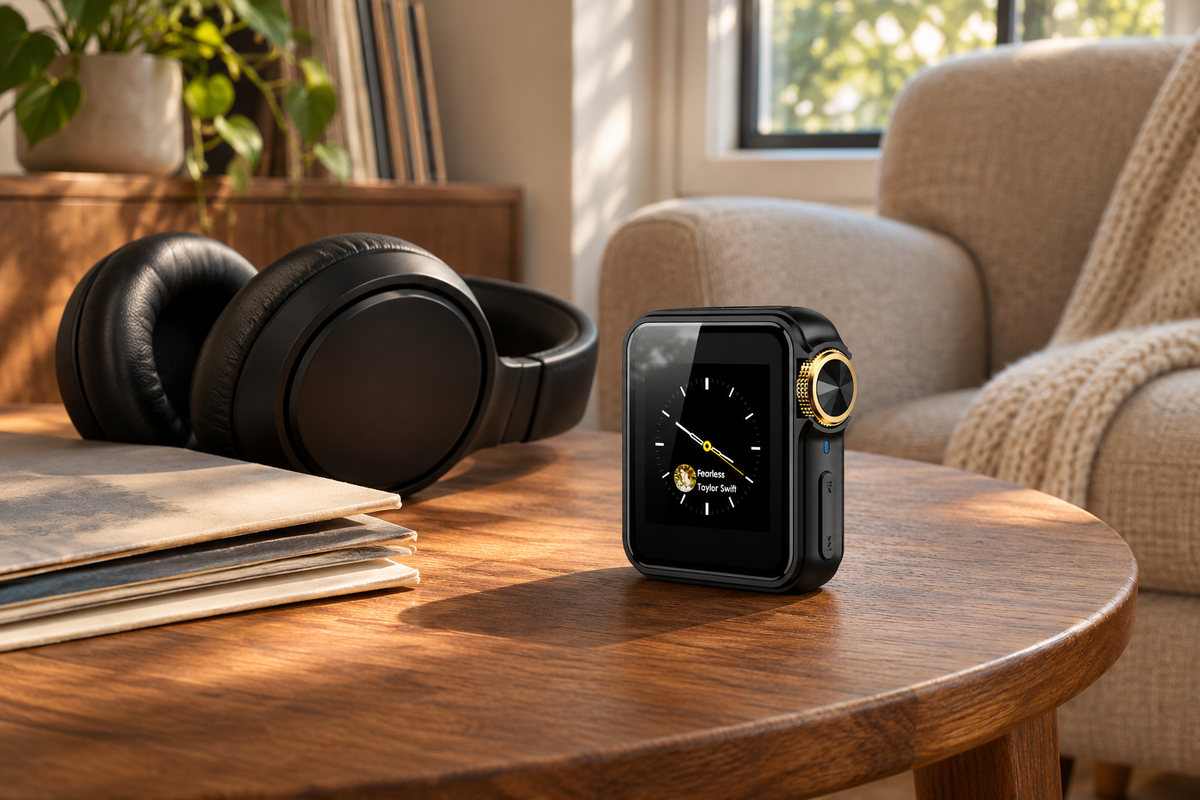
Choose the HIFI WALKER H20 Pro if you want a high-resolution music player with dedicated audio hardware, touchscreen browsing, and hands-on volume control. Comparing HIFI WALKER alternatives such as the HiBy R1? The H20 Pro puts dual ES9219PC DACs, DSD256 playback, and a touch-and-knob layout in one player built around your music collection. What would you like to listen to first?
Picture the music you would play first. Perhaps you already have a folder of albums you return to every week. You want to browse that collection on a dedicated screen, start a record, and adjust the volume without making every interaction a touchscreen task. The H20 Pro combines touch navigation with a knob and physical keys, giving those actions distinct controls.
The HiBy R1 gives this comparison an entry-level touchscreen reference point. The H20 Pro is the option to explore when you want to build a more flexible listening setup around your own albums. Its appeal is the combination: touch navigation for choosing music, tactile controls while it plays, and connection options you can use at home as well as on the go.
Here is where that combination becomes useful. You can take a prepared album collection with you, settle in for wireless listening, or bring the player to your computer for USB DAC use. This guide shows how the H20 Pro's confirmed features support those roles, so you can decide what the extra budget would add to the way you already enjoy music.
Expert Insights: Key Takeaways
- Dual ES9219PC DACs, dedicated amplification, and DSD256 support put high-resolution music at the center of the H20 Pro.
- Dedicated audio hardware, wired outputs, Bluetooth, and USB DAC mode offer several ways to use the player.
- Build the purchase around your own collection and explore the current H20 Pro configuration.
- ►1. HiBy R1 or H20 Pro: What Would Make the Upgrade Worthwhile?
- ►2. The Differences That Matter Before You Buy
- ►3. Dedicated High-Resolution Audio at the Heart of the H20 Pro
- ►4. Choose Music by Touch, Then Keep Volume Within Reach
- ►5. Give Your Saved Albums a Collection You Can Carry
- ►6. Take the H20 Pro From Portable Listening to Your Desk
- ►7. More Ways to Enjoy Your Collection With the H20 Pro
- ►8. Make Your Choice Around the First Week of Listening
The Differences That Matter Before You Buy
The H20 Pro brings together the features that make a dedicated player worth reaching for. The R1 provides context for the touchscreen category; the H20 Pro adds a touch-and-knob control layout and a choice of wired outputs. Use the table to identify the differences, then see how the H20 Pro fits the listening you want to do.
The R1 figures come from HiBy's official product page. HiBy also discusses USB DAC use in its platform guide covering the R1. The H20 Pro recommendation rests on the whole package of controls, audio hardware, and outputs, with desktop listening as another useful role.
For the H20 Pro, those features have straightforward jobs. The touchscreen is where you choose what to hear. The knob gives volume its own control. The output options let you plan a wired setup, while Bluetooth offers another way to listen. USB DAC mode adds a reason to keep the player on your desk between trips. Together, they make it more than a screen for starting songs.

Dedicated High-Resolution Audio at the Heart of the H20 Pro
The H20 Pro puts dedicated audio hardware at the center of the experience. Its dual ES9219PC DACs and four-channel headphone amplification design give this player a clear audio-focused identity. The touchscreen helps you find the album; the hardware inside is there for the music you have chosen to hear.
For a high-resolution collection, the H20 Pro supports DSD256 playback. That gives compatible recordings a place in the same dedicated device you use for everyday listening. If you have been building a collection beyond ordinary compressed downloads, this format support is a tangible reason to explore the H20 Pro and the music it can play.
HIFI WALKER lists a 118dB signal-to-noise ratio and total harmonic distortion below 0.005% for the H20 Pro. In plain language, these specifications describe its low-noise, low-distortion audio design. They put technical substance behind its music-first positioning, alongside the dual DACs and dedicated amplification, rather than leaving the appeal at the screen and appearance.
That is the purchase case for someone who wants a player built around a high-resolution music collection. You get an audio-focused design together with touch browsing and physical volume control, in a device you can use away from your computer or bring back to your desk. Explore the H20 Pro when enjoying those saved recordings is the reason you want a dedicated player.
Choose Music by Touch, Then Keep Volume Within Reach
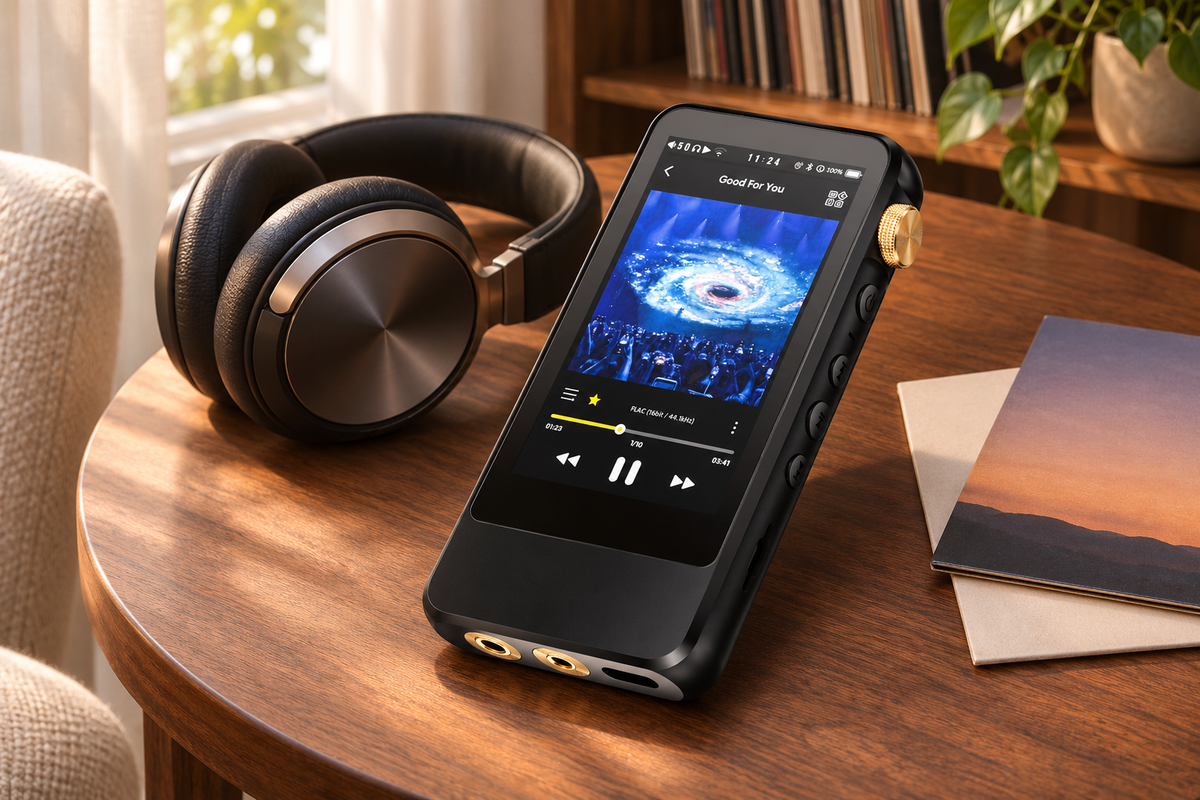
The H20 Pro gives browsing and volume adjustment different kinds of control. You can use its touchscreen to navigate, then reach for the physical knob when you want to change the listening level. This combination is a concrete reason to consider it if you enjoy touch navigation but do not want every adjustment to involve an onscreen control.
Think about how you choose music at the beginning of an evening. You may spend a few minutes deciding between several albums, then stay with one for a while. Browsing and listening are different moments. A touch interface can be part of the first; a dedicated volume control can remain useful after you have already settled on what to play.
The 3.2-inch touchscreen gives the H20 Pro a dedicated surface for choosing music. Browse for the next album, make your selection, and return to listening. The knob remains a separate part of that interaction, so a change in listening level does not have to become another trip through the touch interface. It is a practical combination for people who enjoy both touch navigation and a physical control.
That combination is easy to give a place in a familiar routine. Keep the player within reach beside a chair or on the desk. The screen is there when you want a different album; the knob is there when the moment calls for a quieter or louder passage. These are small, repeatable interactions that can make a dedicated device feel purposeful in everyday listening.
One useful way to assess the layout is to name your most common action. Do you usually choose an album and leave it playing, or return to the controls throughout a session? If you often adjust the listening level, a dedicated knob may have an obvious place in your routine. If you mostly browse, spend more time looking at the library interface.
Give Your Saved Albums a Collection You Can Carry
Start with your music collection, then choose the storage arrangement that fits it. The H20 Pro plays compatible local audio files from microSD. That makes it a candidate for albums you already keep on a computer or backup drive and want available on a separate music device.
A local collection can be personal in a way a product specification is not. There may be a live recording you have kept for years, a favorite release you bought as a download, or a small set of albums you prefer to hear from beginning to end. Preparing those files gives you a specific reason to reach for the player when you want to listen.
Start with a few albums you would be excited to load. Find the original files on your computer or backup drive, check their formats, and group them in a way that makes sense to you. A prepared collection gives the H20 Pro an immediate purpose: it becomes the player you reach for to enjoy that music, with your own selections ready on the card.
For the H20 Pro, card capacity and recognized-song count are separate considerations. Its listed limits are a microSD card up to 512GB and up to 14,999 recognized songs. A large card provides space for files; it does not remove the library's song-count limit. Plan around the collection you want the player to recognize, including how large your individual audio files are.
The H20 Pro's storage makes sense as part of that personal collection. Think about the albums you return to, the releases you have been meaning to hear properly, and the files you want available when a network is not part of the plan. A dedicated card lets you build a selection for the player rather than starting each session by deciding where the music will come from.
Organize those albums in clear artist and album folders, then keep a backup on your computer. Once the collection is ready, the player has a job from the first day: put on an album you already love and enjoy it on a device of its own. For the transfer details, follow the USB and microSD music-transfer guide.
↑ Back to Top
Back to Top ↑Take the H20 Pro From Portable Listening to Your Desk
USB DAC mode gives the H20 Pro a role beyond playing the files on its card. In this mode, a compatible computer sends digital audio to the player, which converts it for listening through its supported audio output. The computer remains the source of the sound, while the H20 Pro becomes part of the playback connection.
That is useful to understand before buying because it is a different job from file transfer. Copying an album places files on storage so the player can use them later. USB DAC mode handles audio coming from the computer during the listening session. The same cable connection can therefore be involved in different tasks, but you select the appropriate mode for the task you want.
Picture an album you listen to at your computer during the week, then want to take with you over the weekend. With a prepared local collection, the H20 Pro can serve as the portable player. At a desk, its supported USB DAC mode offers another way to use the hardware. You are choosing a device with both roles, rather than buying it solely for a single commute.
The control layout continues to matter at a desk. Place the H20 Pro where the screen and volume knob are easy for you to reach. Your computer supplies the audio in USB DAC mode, while the player supplies its supported audio connection. That gives the device a useful place beside your computer instead of leaving it in a bag until the next time you go out.
If you listen both at home and away, this is a concrete reason to explore the H20 Pro. You can plan a portable role around the card and a desktop role around USB DAC mode. Check the connection instructions for your computer before setting it up, then give the player a regular place in both parts of your week.

More Ways to Enjoy Your Collection With the H20 Pro
The H20 Pro adds choices you can build into your listening over time. Its dual ES9219PC DACs form part of the dedicated audio hardware, alongside its wired outputs and Bluetooth connectivity. You can start with the setup you already use, then explore another supported connection when it has a clear place in your routine.
For wireless listening, the H20 Pro supports Bluetooth 5.1 with LDAC, aptX, and aptX-HD, according to its specifications. Pair it with compatible equipment when you want to listen without a cable between the player and that device. The codec used depends on what both sides support, so match the connection to your equipment when you set it up.
For a wired setup, it offers both 3.5mm and 4.4mm balanced outputs. These are additional options within the player, not a requirement to replace everything you already own. You can choose the supported output that matches your setup. The buying reason remains the H20 Pro itself: a dedicated device with the controls and connection choices you want to keep using.

Bring those features together around the collection you want to hear. A wireless session, a wired session, and time at the computer can all give the H20 Pro a purpose. You do not have to use every option at once. Start with the music and setup you enjoy now, with other supported connections available when you choose to explore them.
Ready to make it yours? Open the H20 Pro product page to see the control layout, available outputs, and current purchase options together. Check the selected configuration for any included memory card, then plan the first albums you want to load. That turns the next step from comparing specifications into preparing to enjoy your own music.
Make Your Choice Around the First Week of Listening
The H20 Pro is the model to explore when you want a dedicated touchscreen player with room for more than one listening routine. Keep your collection ready on microSD, choose music on its own screen, adjust volume with the knob, and use its supported connections to fit the place where you are listening.
Imagine its first week with you. Load an album you have kept for years, set aside something new for a quiet evening, and decide whether computer listening belongs in the plan too. Each gives the player a specific job. The H20 Pro's combination of touch, tactile control, and audio connections makes a clear case for putting it at the center of that setup.
When comparing HIFI WALKER alternatives, look for the experience you actually want to bring home. The H20 Pro puts these listening options in one dedicated player. Explore the H20 Pro and choose your configuration, then give your favorite albums their next place to play.
Give your favorite albums a player of their own
Bring dedicated high-resolution audio hardware, touch navigation, and tactile volume control into your music routine with the H20 Pro.
See the H20 Pro, review the current options, and choose the configuration for your collection.
Frequently Asked Questions
Q1: How do I choose between HiBy R1 and HIFI WALKER H20 Pro?
Choose the H20 Pro for its combination of touchscreen navigation, a physical volume knob, dedicated audio hardware, and flexible connections. The R1 is an entry-level touchscreen reference; the H20 Pro is the model to explore for a broader listening setup.
Q2: Does the H20 Pro have a touchscreen?
Yes. The H20 Pro has a 3.2-inch touchscreen alongside a physical volume knob and keys. You can browse using the screen and adjust volume with the dedicated knob.
Q3: Can the H20 Pro work with my computer?
The H20 Pro supports USB DAC mode as well as file-transfer functions. These are different uses, so check the instructions and computer compatibility for the mode you intend to use.
Q4: Why consider the H20 Pro for both home and portable listening?
Compatible local files on microSD give it a portable music role. Its physical controls, wired and Bluetooth connections, and supported USB DAC mode also give you ways to use it at home and at your computer.