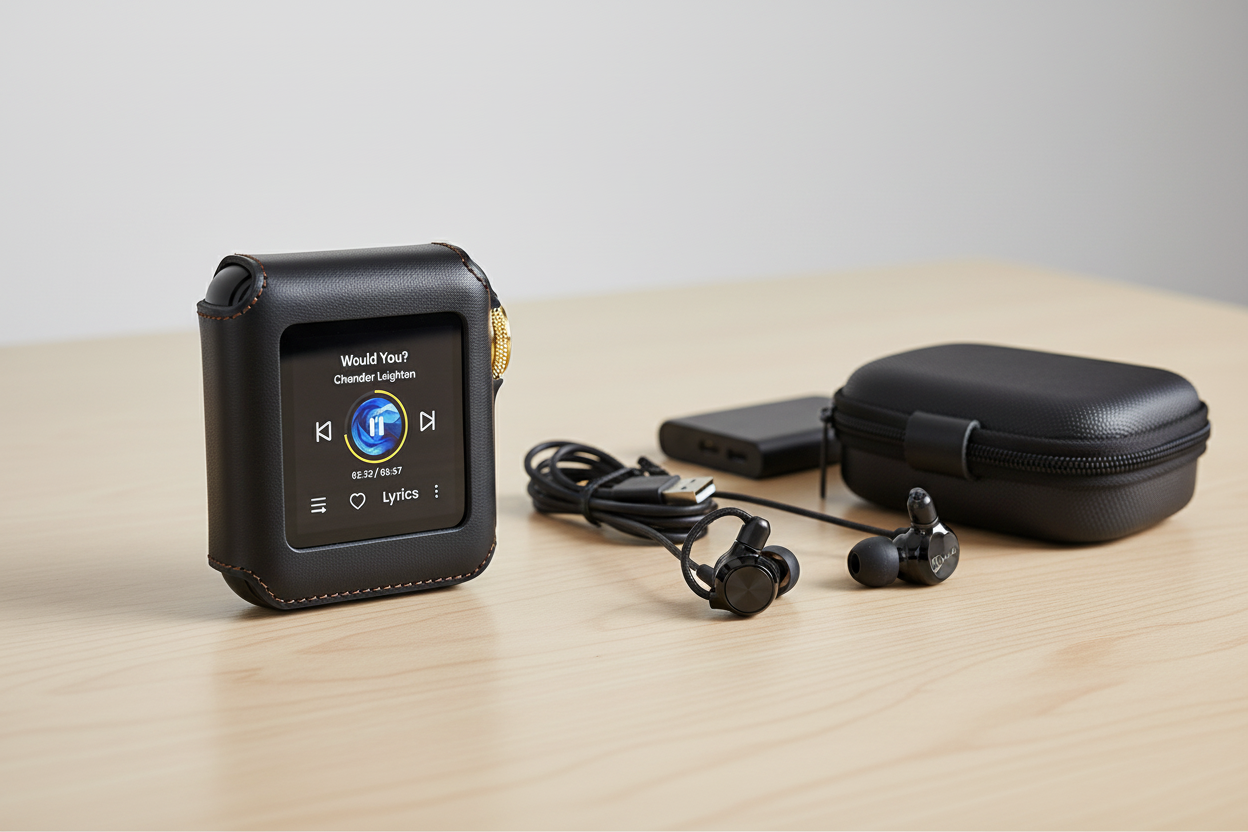
Wat is HIFI WALKER nu eigenlijk?
HIFI WALKER is een merk voor draagbare audio dat speciale muziekspelers maakt: kleine apparaten met maar één taak, namelijk jouw audiobestanden goed afspelen. Als je wifi walker of hi fi wifi in een zoekbalk hebt getypt, bedoelde je waarschijnlijk dit: een bedrijf dat zelfstandige spelers en een USB-C-dongle bouwt, los van telefoons en grote elektronicamerken.
Dat is het korte antwoord. Het langere antwoord is nuttiger, want hifi wifi en wifi hifi wijzen allebei op een echte vraag: heeft een muziekspeler eigenlijk Wi-Fi nodig, of is Bluetooth in het dagelijks gebruik belangrijker? We behandelen beide.
Onze kijk: voor de meeste mensen is de belangrijkste draadloze functie niet streamen via Wi-Fi, maar probleemloos via Bluetooth koppelen met de hoofdtelefoon of luidspreker die je al hebt. Daar draait het grootste deel van deze gids om.
Inzichten van experts: de belangrijkste punten
- De zoekopdracht wifi walker betekent bijna altijd HIFI WALKER: een merk met speciale spelers op Linux en spelers op Android, geen router of netwerkproduct.
- Bluetooth 5.1 met aptX-HD of LDAC is standaard in de huidige Linux-reeks, maar het geluidsvoordeel ontstaat alleen als je hoofdtelefoon dezelfde codec ondersteunt. Bij niet-overeenkomende codecs valt de verbinding terug op gewone SBC.
- Wi-Fi heeft op deze spelers een veel beperktere functie dan veel mensen verwachten: alleen de H2 Touch heeft het, voor internetradio en bestandsoverdracht, niet voor streamen via apps.
- Als native streamingapps zoals Spotify of Tidal belangrijker voor je zijn dan lokale bestanden afspelen, past het Android-platform van de G7 Pro beter dan de spelers op Linux.
- ►1. Wat is HIFI WALKER nu eigenlijk?
- ►2. Het assortiment: wat HIFI WALKER daadwerkelijk verkoopt
- ►3. Bluetooth op een HIFI WALKER-speler: wat er werkelijk gebeurt
- ►4. Hi-Fi Wi-Fi: waar draadloos streamen echt past
- ►5. Bluetooth instellen: stap voor stap
- ►6. Een model kiezen: passend bij hoe je luistert
- ►7. Wat Bluetooth-codecs echt aan het geluid veranderen
Het assortiment: wat HIFI WALKER daadwerkelijk verkoopt
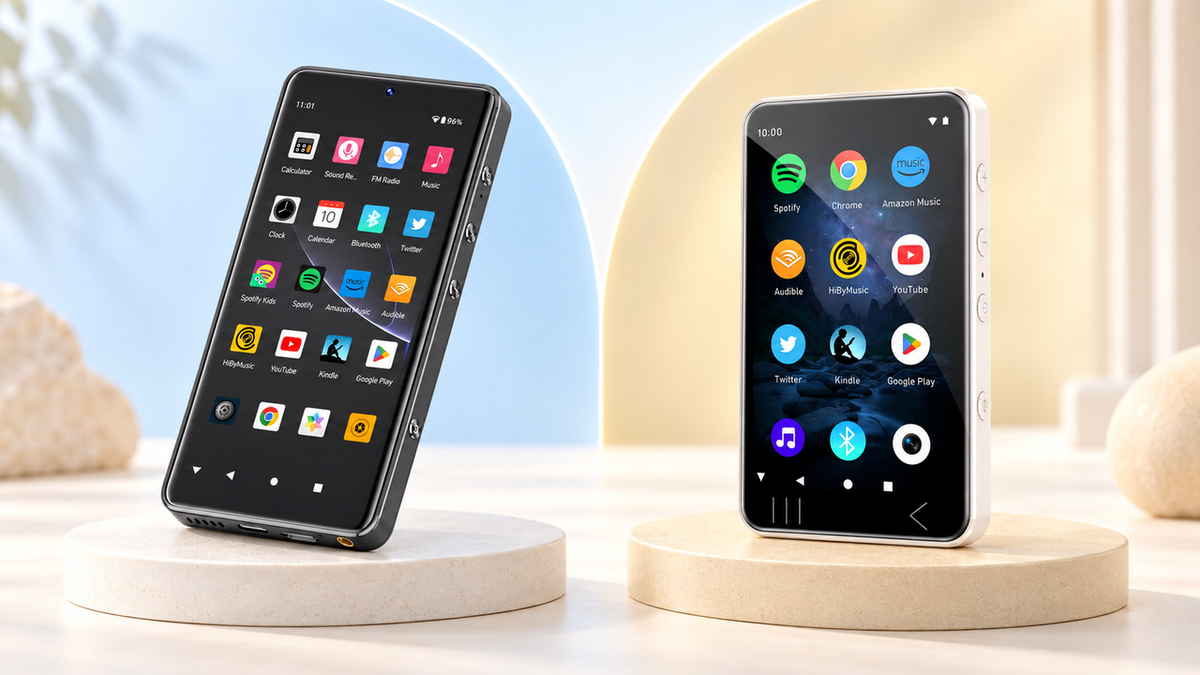
De catalogus bestaat uit twee families. De ene draait op een licht Linux-systeem dat uitsluitend voor muziekweergave is gemaakt: geen appwinkel, geen meldingen, alleen jouw bestanden. De andere draait op volledig Android en gedraagt zich daardoor meer als een telefoon, maar zonder het telefoongedeelte.
Muziekspelers op Linux
- H2 Mini — compact instapmodel
- H2 — evenwichtige speler voor dagelijks gebruik
- H2 Touch — touchscreen en ondersteuning voor e-books
- H20 Pro — dubbele DAC en gebalanceerde 4,4mm-uitgang
- H20 Ultra — topmodel met groot touchscreen
Android-spelers & accessoires
- G7 — Android 13 en één 3,5mm-uitgang
- G7 Pro — groter scherm en Google Play vooraf geïnstalleerd
- D20 — USB-C-DAC-/versterkerdongle
- A20Pro — bijpassende in-ear-hoofdtelefoon
Welke familie bij je past, hangt af van wat je juist wilt vermijden. Wil je helemaal loskomen van apps en meldingen, dan zijn de Linux-spelers daarvoor gemaakt. Wil je Spotify of Audible nog wel op het apparaat gebruiken, maar niet op je telefoon, dan biedt de Android-reeks die mogelijkheid.
Bluetooth op een HIFI WALKER-speler: wat er werkelijk gebeurt
Dit is waarschijnlijk de echte reden dat je hier bent. Zoektermen zoals instellingen voor Bluetooth-connectiviteit, instellingen voor Bluetooth-verbindingen Bluetooth DAP draaien allemaal om dezelfde praktische vraag: hoe laat je een draadloze hoofdtelefoon met een van deze spelers communiceren, en klinkt het dan goed?
Bluetooth 5.1 is standaard op de Linux-spelers H2 Mini, H2, H2 Touch, H20 Pro en H20 Ultra. Op de H2, H2 Touch, H20 Pro en H20 Ultra werkt Bluetooth in beide richtingen: audio verzenden naar een hoofdtelefoon of luidspreker, of audio van je telefoon ontvangen via de versterker van de speler. De H2 Mini kan alleen verzenden en gebruikt een CSR8811-chip; de andere modellen gebruiken een AW-NM372SM-module. Beide ondersteunen waar van toepassing aptX, aptX-HD en LDAC.
Wat leveren aptX-HD en LDAC nu echt op vergeleken met Bluetooth op een telefoon? Meer ruimte voor een hogere bitsnelheid op de draadloze verbinding, zodat een goed opgenomen FLAC-bestand onderweg minder verliest. Dat geldt alleen als je hoofdtelefoon aan de ontvangende kant dezelfde codec ondersteunt. Komen de codecs niet overeen, dan val je terug op standaard SBC en is het niet beter dan een telefoon.

Hi-Fi Wi-Fi: waar draadloos streamen echt past
Hier gaan zoekopdrachten naar hi fi wifi vaak de verkeerde kant op: mensen nemen aan dat elke speler met Wi-Fi in de specificaties op internet kan surfen of streamingapps kan uitvoeren zoals een telefoon. Op de Linux-spelers is Wi-Fi daar niet voor bedoeld.
De H2 Touch is het enige model in de Linux-reeks met ingebouwde Wi-Fi. De functie is bewust beperkt tot internetradio en bestandsoverdracht via Wi-Fi, zodat je nummers zonder kabel op het apparaat kunt zetten. Het is geen webbrowser en er draaien geen streamingapps op.
Wat Wi-Fi op de H2 Touch wel doet
- Internetradiostations afspelen
- Bestanden draadloos naar de speler overzetten
- Muziek toevoegen zonder kabel
Wat het niet doet
- Geen native Spotify-/Tidal-apps
- Geen webbrowser
- Geen apparaat voor streamen via apps
Wil je Spotify, Tidal of Audible rechtstreeks op het apparaat gebruiken, dan kom je uit bij de Android-kant van het assortiment: de G7 en G7 Pro. Vooral de G7 Pro wordt geleverd met Google Play vooraf geïnstalleerd, en Spotify, Tidal en Audible werken er aantoonbaar normaal op. Dat is een wezenlijk andere productfilosofie dan die van de Linux-spelers, en goed om te weten voordat je kiest.
Over precies deze tweesprong schreven we uitgebreider in ons artikel over Hi-Fi-spelers met Wi-Fi en wanneer draadloos streamen werkelijk helpt, als je dit onderscheid verder wilt uitdiepen.
↑ Terug naar boven
Terug naar boven ↑Bluetooth instellen: stap voor stap
De instellingen voor de Bluetooth-verbinding staan op deze spelers in een apart menu, niet verstopt achter een dozijn submenu’s zoals in de instellingen van een telefoon. Zo verloopt het koppelen op elk Linux-model ongeveer.
Open de Bluetooth-instellingen
Ga vanuit het hoofdscherm met instellingen naar het Bluetooth-menu en schakel Bluetooth in.
Kies Verzenden of Ontvangen (H2 Mini: alleen verzenden)
Kies of je audio naar een hoofdtelefoon of luidspreker stuurt, of audio vanaf je telefoon ontvangt.
Zet de hoofdtelefoon in de koppelmodus
Activeer de gewone koppelmodus op je hoofdtelefoon of luidspreker. De speler zoekt dan naar apparaten in de buurt en toont ze in een lijst.
Selecteer en bevestig
Tik op de apparaatnaam in de lijst. Na het koppelen onthoudt de speler het apparaat voor de volgende keer.
Controleer de codec
Ondersteunt je hoofdtelefoon aptX-HD of LDAC, controleer dan of de verbinding die codec gebruikt en niet terugvalt op SBC.
Bij die laatste stap gaat het vaker mis dan bij alle andere. Een geslaagde koppeling betekent niet automatisch dat de codec met hogere kwaliteit actief is. Sommige hoofdtelefoons gebruiken standaard SBC, tenzij je in hun eigen app of instellingen aptX of LDAC afdwingt.

Een model kiezen: passend bij hoe je luistert
In plaats van deze modellen van hoog naar laag te rangschikken, is het eerlijker om ze in te delen naar het probleem dat je wilt oplossen. Iemand die tijdens het reizen een telefoon vervangt, heeft andere behoeften dan iemand die een desktopopstelling voor een hoofdtelefoon bouwt.


Voor een nauwkeurigere vergelijking binnen de H2-familie legt onze gids uit waarom de HIFI WALKER H2 goed werkt als muziekspeler die in de eerste plaats voor offline luisteren is gemaakt en behandelt hij de afwegingen uitgebreider dan hier mogelijk is. Je kunt ook het volledige aanbod bekijken in de collectie HIFI WALKER-spelers rechtstreeks.
Wat Bluetooth-codecs echt aan het geluid veranderen
Achter de vraag welke Bluetooth-codecs tegenwoordig de beste geluidskwaliteit leveren, zit iets dat beter een helder antwoord verdient dan een specificatielijst. LDAC en aptX-HD staan allebei een hogere bitsnelheid toe over de Bluetooth-verbinding dan de oudere SBC-codec die standaard wordt gebruikt. Meer ruimte voor bitsnelheid betekent dat er onderweg minder hoeft te worden weggegooid.
Of je het verschil werkelijk hoort, hangt sterk af van je hoofdtelefoon en de opname zelf. Bij een goed gemasterde FLAC-track via een degelijke draadloze hoofdtelefoon merk je het verschil tussen SBC en LDAC vaak als een klein verlies aan detail in stille passages, zoals het uitsterven van bekkens of de klank van de ruimte. Bij sterk gecomprimeerde popmasters wordt het verschil kleiner, omdat de bron om te beginnen al minder detail bevat dat verloren kan gaan.
Twee verschillende ideeën over waar een muziekspeler voor dient
Zodra je Linux-spelers met Android-modellen vergelijkt, vergelijk je eigenlijk twee verschillende ideeën over wat een speciaal apparaat voor je moet doen.
Geen van beide filosofieën is juister; ze lossen gewoon verschillende ergernissen op.
Veelgestelde vragen
V1: Is HIFI WALKER hetzelfde als wifi walker?
Ja. wifi walker is bijna altijd een spelfout of automatisch aangevulde variant van HIFI WALKER, het merk voor draagbare audio. Het bedrijf maakt speciale muziekspelers op Linux en Android en een USB-C-DAC-/versterkerdongle, geen netwerkapparatuur of routers.
V2: Maken HIFI WALKER-spelers verbinding via Wi-Fi of Bluetooth?
Dat hangt af van het model. Bluetooth 5.1 is standaard in de Linux-reeks (H2 Mini, H2, H2 Touch, H20 Pro, H20 Ultra) voor draadloze hoofdtelefoons of luidsprekers. Wi-Fi is beperkter: alleen de H2 Touch heeft het, voor internetradio en draadloze bestandsoverdracht, niet voor streamen via apps of surfen op het web.
V3: Op welke HIFI WALKER Bluetooth-codec moet ik letten?
Als je hoofdtelefoon aptX-HD of LDAC ondersteunt, zoek dan een speler met dezelfde codec. De meeste huidige Linux-modellen ondersteunen beide. Het voordeel ontstaat alleen als beide kanten van de verbinding, speler en hoofdtelefoon, dezelfde codec ondersteunen; anders valt de verbinding terug op standaard SBC.
V4: Kan ik Spotify of Tidal rechtstreeks op een HIFI WALKER-apparaat streamen?
Niet op de Linux-spelers; die zijn gemaakt voor lokale bestanden plus Bluetooth-invoer en -uitvoer. Als native streamingapps belangrijk voor je zijn, draait de G7 Pro op Android 13 met Google Play vooraf geïnstalleerd. Spotify, Tidal en Audible werken er aantoonbaar normaal op.
V5: Wat betekent hi fi wifi eigenlijk als mensen ernaar zoeken?
Meestal is het een korte manier om te vragen of een hifi-speler net als een telefoon draadloos kan streamen. Het eerlijke antwoord is dat speciale HIFI WALKER-spelers Bluetooth gebruiken voor verbindingen met hoofdtelefoons en luidsprekers, terwijl Wi-Fi, waar aanwezig, beperkt is tot radio en bestandsoverdracht en niet tot volledig streamen via apps.