Laatst bijgewerkt: 6 juli 2026
Expertinzichten: Spotify op een draagbare speler in 2026
- DRM is sinds 2011 het centrale bestandsbeveiligingsmechanisme van Spotify — geen enkele legitieme converter heeft het ooit omzeild, en elke tool die anders beweert is ofwel illegaal ofwel verwant aan malware.
- Android-muziekspelers die de officiële Spotify-app via Google Play draaien, volgen de eigen app-, account- en Premium-downloadregels van Spotify.
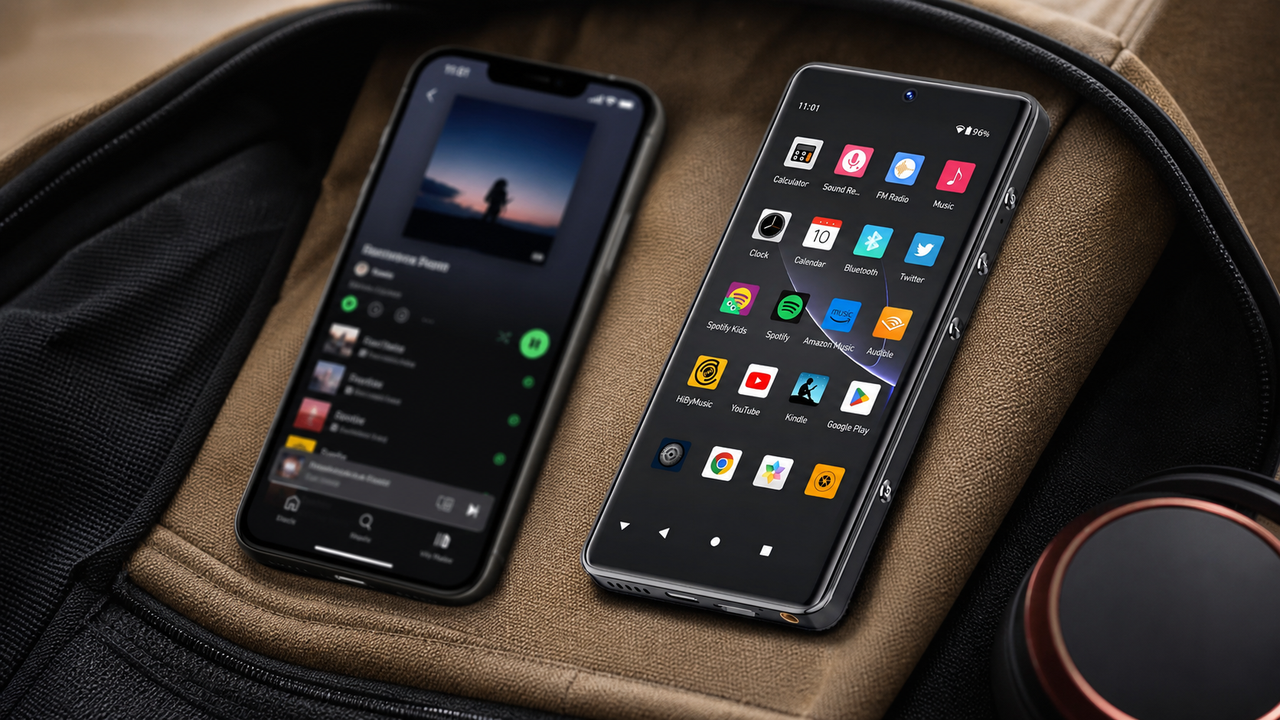
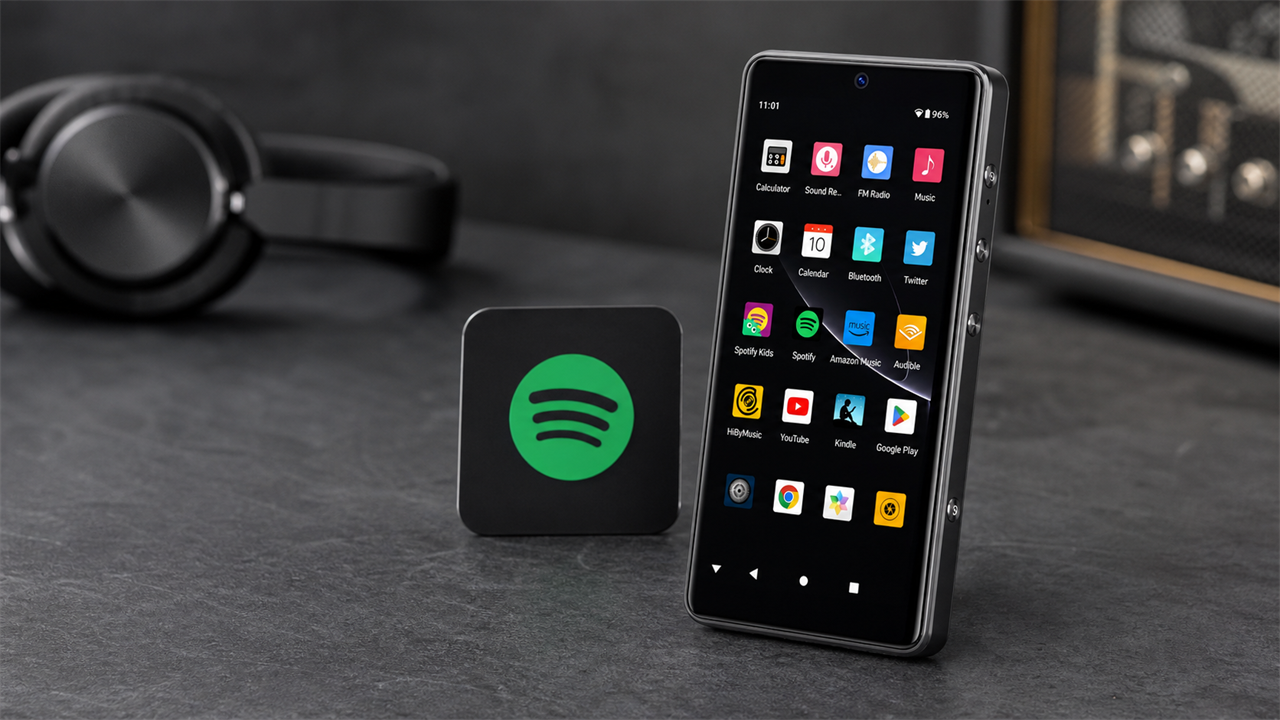
- De G7 Pro draait Spotify op Android 13 en houdt weergave, downloads en lokale bestanden op een apart apparaat, los van je telefoon.
- Voor forenzen houdt de G7 Pro het muziekluisteren op een apart apparaat en is hij gespecificeerd op tot ongeveer 62 uur muziekweergave / 8 uur videoweergave.
Waarom je Spotify-muziek niet zomaar naar een MP3-speler kunt overzetten
Het is een van de meest gegoogelde audiovragen van 2026: kun je Spotify-muziek naar een MP3-speler overzetten? Als je het hebt geprobeerd, ken je het frustrerende antwoord al. Spotify-nummers zijn geen gewone audiobestanden — het zijn versleutelde streams die achter DRM (Digital Rights Management) zitten. Je kunt ze niet naar een map slepen, converteren of naar een apparaat kopiëren. Punt uit.
Zie Spotify als een filmverhuurdienst. Die film speelt alleen binnen de app — je kunt hem niet naar een USB-stick kopiëren. De licentieovereenkomsten van Spotify werken op dezelfde manier. Volgens de eigen servicevoorwaarden van Spotify is het kopiëren, herverspreiden of converteren van nummers uitdrukkelijk verboden. Elke tool van derden die anders beweert, is illegaal, onveilig of allebei.
Waarom bestandsconversie mislukt
- Spotify-streams zijn DRM-versleuteld — geen ruwe audio
- Converters van derden schenden de servicevoorwaarden van Spotify
- Geconverteerde bestanden zijn vaak van lage kwaliteit of beschadigd
- Risico op malware door louche convertersoftware
- Afspeellijsten worden statisch — geen automatische updates of nieuwe releases
Wat in 2026 wél werkt
- Android-muziekspelers draaien de officiële Spotify-app native
- 100% legaal — gebruikt de eigen infrastructuur van Spotify
- Volledige 320kbps-streaming en offline downloads
- Afspeellijsten synchroniseren automatisch zodra er verbinding is met Wi-Fi
- Een toegewijde Android-speler houdt Spotify weg van de afleidingen van je telefoon
- ►1. Waarom je Spotify-muziek niet zomaar naar een MP3-speler kunt overzetten
- ►2. De echte oplossing: een Android-muziekspeler die Spotify native draait
- ►3. Android-muziekspeler vs. ouderwetse MP3-speler: een directe vergelijking
- ►4. Zo stel je Spotify in op de HIFI WALKER G7 Pro (stap voor stap)
- ►5. Waarom de G7 Pro beter klinkt dan streamen op je telefoon
- ►6. Welke HIFI WALKER-speler past bij jou?
De echte oplossing: een Android-muziekspeler die Spotify native draait
Spotify op een draagbare speler krijgen draait niet om het overzetten van bestanden — het draait om het kiezen van het juiste hardwareplatform. Moderne Android Digital Audio Players (muziekspelers) draaien een volledig Android-besturingssysteem, net als een telefoon, maar zonder de afleidingen. Dat betekent dat je de officiële Spotify-app rechtstreeks vanuit Google Play kunt installeren en je afspeellijsten native kunt streamen of downloaden.
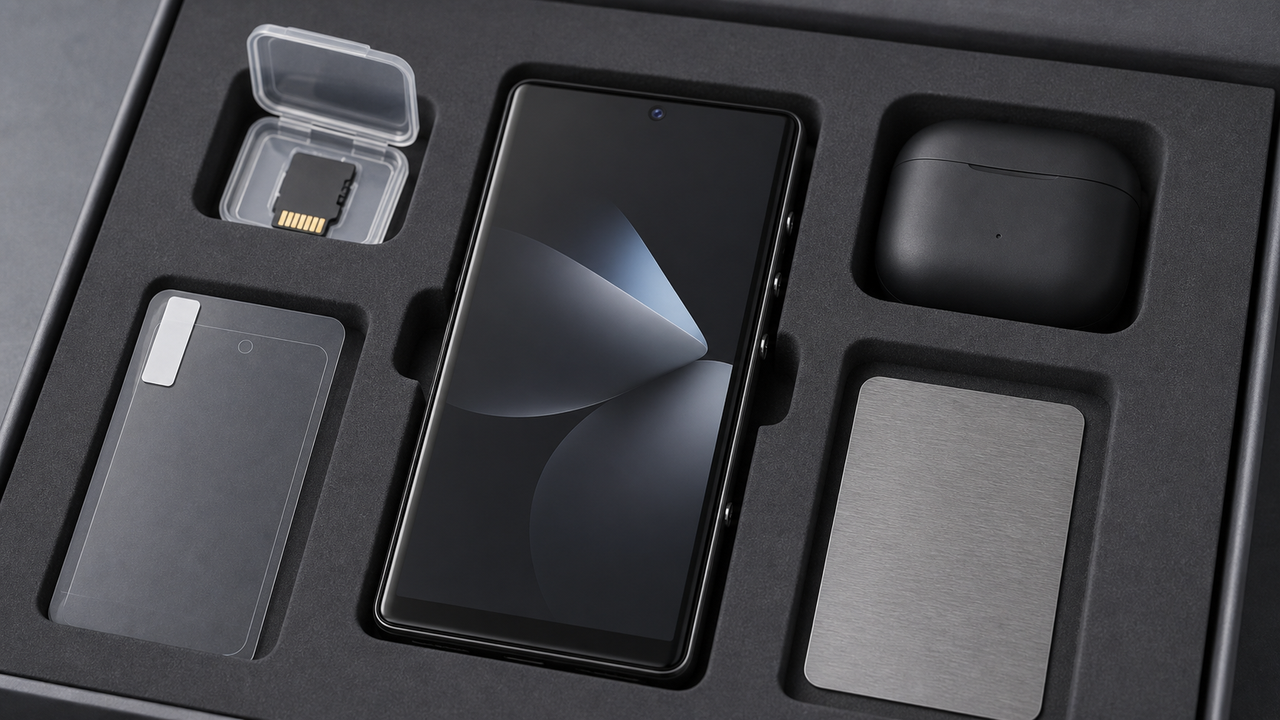
Hier verandert de HIFI WALKER G7 Pro Android-speler het spel. Hij draait Android 13, ondersteunt Google Play en combineert die streamingmogelijkheid met een toegewijd Android 13-platform — zodat elke Spotify-stream wordt weergegeven via muziekgerichte hardware, niet via het gecompromitteerde audiocircuit van een telefoon.

HIFI WALKER G7 Pro — Android 13, Google Play, Android 13-platform en native Spotify-ondersteuning.

Android-muziekspeler vs. ouderwetse MP3-speler: een directe vergelijking
Vraag je je nog steeds af of een Android-muziekspeler echt de moeite waard is ten opzichte van een traditionele MP3-speler? Hier is een directe, no-nonsense vergelijking op elke factor die telt voor een Spotify-luisteraar in 2026.
Het oordeel is duidelijk: de oude aanpak met bestandsoverdracht is een doodlopende weg. Een Android-muziekspeler zoals de G7 Pro lost niet alleen het Spotify-probleem op — hij levert een fundamenteel superieure luisterervaring op elke meetbare dimensie.
Zo stel je Spotify in op de HIFI WALKER G7 Pro (stap voor stap)
Spotify instellen op de HIFI WALKER G7 Pro is echt eenvoudig — als je ooit een app op een Android-apparaat hebt geïnstalleerd, voelt dit volledig vertrouwd. Hier is het volledige proces, van uitpakken tot offline weergave.
Zet aan en maak verbinding met Wi-Fi
Zet je G7 Pro aan en ga naar Instellingen > Wi-Fi. Maak verbinding met je thuisnetwerk. De Android 13-interface is identiek aan die van elk modern Android-apparaat — volg gewoon de instructies op het scherm.
Meld je aan bij de Google Play Store
Tik op het pictogram van de Google Play Store op het startscherm. Meld je aan met je Google-account (of maak er een aan — het is gratis). Dit ontgrendelt toegang tot meer dan 3 miljoen apps, waaronder elke grote muziekstreamingdienst.
Zoek en installeer Spotify
Typ 'Spotify' in de zoekbalk van de Play Store. Tik op de officiële Spotify-app (groen pictogram) en druk op Installeren. De app is binnen een minuut gedownload op een standaard breedbandverbinding.
Log in op je Spotify-account
Open Spotify en log in met je bestaande gegevens. Al je afspeellijsten, leuk gevonden nummers en podcasts verschijnen meteen — precies zoals op elk ander apparaat.
Download afspeellijsten voor offline luisteren
Met Spotify Premium tik je op de downloadschakelaar bij een afspeellijst of album. Eenmaal gedownload spelen die nummers af via het Android 13-platform van de G7 Pro, zelfs zonder Wi-Fi-verbinding — perfect voor het woon-werkverkeer, vluchten of trainingen.

Het responsieve touchscreen van de G7 Pro maakt het navigeren door Spotify net zo soepel als op elk vlaggenschip-Android-apparaat.
↑ Terug naar boven
Terug naar boven ↑Waarom de G7 Pro beter klinkt dan streamen op je telefoon
Dit is wat de meeste streaminggidsen overslaan: de hardware die de decodering doet, is net zo belangrijk als de bitrate. Je telefoon is ontworpen voor bellen, camera's en social media. Audio is een bijzaak. De G7 Pro is uitsluitend voor audio ontworpen — en die eenduidige focus is vanaf de eerste noot hoorbaar.
Streamen op een smartphone
- Gedeeld ontwerp verwerkt audio naast mobiel netwerk, GPS en meldingen
- Het audiocircuit zit naast componenten die RF-ruis produceren — dat veroorzaakt interferentie
- De batterij wordt leeggetrokken door achtergrond-apps die concurreren met audioweergave
- Geen toegewijde hoofdtelefoonversterker — alleen hoofdtelefoons met lage impedantie
- 320kbps Spotify-streams worden afgeknepen door een gecomprimeerde uitgangstrap
Streamen op de HIFI WALKER G7 Pro
- Toegewijd Android 13-platform verwerkt alleen audio — nul interferentie
- Een aparte speler houdt muziek weg van telefoongesprekken en meldingen
- 2500mAh-batterij gespecificeerd op tot ongeveer 62 uur muziek / 8 uur video
- Standaard hoofdtelefoonuitgang voor dagelijks bedraad luisteren
- De Spotify-weergavekwaliteit hangt af van de app, het bestand, de hoofdtelefoon en de luisteromstandigheden
Naast Spotify ondersteunt de G7 Pro lokale MP3-, WAV-, APE-, FLAC- en AAC-bestanden, zodat je streaming-apps en je eigen bibliotheek op dezelfde Android-speler kunt houden. Het uiteindelijke geluid hangt af van het bestand, de app, de hoofdtelefoon en de luisteromstandigheden.

Ontdek het volledige HIFI WALKER-ecosysteem — elk apparaat ontworpen rond één prioriteit: uitzonderlijk geluid.
Welke HIFI WALKER-speler past bij jou?
Als toegang tot Spotify je belangrijkste doel is, is het Android-muziekspeler-assortiment van HIFI WALKER de duidelijke keuze. Zowel de G7 als de G7 Pro draaien volledig Android met Google Play — maar ze bedienen net iets andere luisteraarsprofielen. Zo maak je je keuze.
Veelgestelde vragen
V1: Kun je Spotify-muziek naar een MP3-speler overzetten?
Nee — niet naar een traditionele MP3-speler. Spotify gebruikt DRM-versleuteling die voorkomt dat bestanden worden geëxporteerd of gekopieerd. De legitieme oplossing is een Android-muziekspeler zoals de HIFI WALKER G7 Pro, die de officiële Spotify-app native draait, zodat je afspeellijsten kunt streamen en downloaden zonder enige bestandsoverdracht.
V2: Heb ik Spotify Premium nodig om offline weergave op de G7 Pro te gebruiken?
Ja. Spotify Premium is vereist om afspeellijsten te downloaden voor offline luisteren op elk apparaat, ook op Android-muziekspelers. Met een actieve Premium tik je simpelweg op de downloadschakelaar bij een afspeellijst in de app op je G7 Pro, en wordt die opgeslagen voor offline weergave.
V3: Is de audiokwaliteit op een Android-muziekspeler echt beter dan op mijn telefoon?
Niet vanzelf. Het belangrijkste voordeel is de scheiding van je telefoon: Spotify, downloads, lokale bestanden en afspeelbediening blijven op een toegewijde Android-speler. Het uiteindelijke geluid hangt af van de app, het bestand, de hoofdtelefoon, het volume en de luisteromgeving.
V4: Kan ik naast Spotify ook andere muziek-apps op de G7 Pro gebruiken?
Absoluut. Omdat de G7 Pro Android 13 met volledige Google Play-toegang draait, kun je Tidal, YouTube Music, Amazon Music, Qobuz en elke andere Android-compatibele streamingdienst installeren. Het is een volledig open platform.
V5: Waarom een toegewijde muziekspeler gebruiken in plaats van gewoon een telefoon voor Spotify?
Drie belangrijke redenen: batterijduur, opslag en focus. Een toegewijd apparaat houdt muziek weg van gesprekken en meldingen, en het kan Spotify-downloads en lokale bestanden opslaan zonder je telefoon vol te maken.
V6: Welke lokale formaten ondersteunt de G7 Pro naast Spotify?
De G7 Pro ondersteunt MP3, WAV, APE, FLAC en AAC voor lokale weergave. Naast Spotify-streaming kun je je eigen bestanden op het apparaat of een TF/microSD-kaart bewaren.