
Expert Insights: Key Takeaways
- The H2 Mini's dedicated audio architecture provides cleaner Bluetooth transmission than smartphone-based solutions, resulting in better wireless audio quality even with identical headphones.
- LDAC codec support enables near-lossless wireless transmission of Hi-Res audio files, making the H2 Mini one of the most capable compact Bluetooth music players available.
- Unlike smartphones, the H2 Mini's isolated audio processing eliminates interference from notifications, calls, and background apps, ensuring consistent Bluetooth performance during critical listening sessions.
Why the H2 Mini is the Ultimate Bluetooth MP3 Player
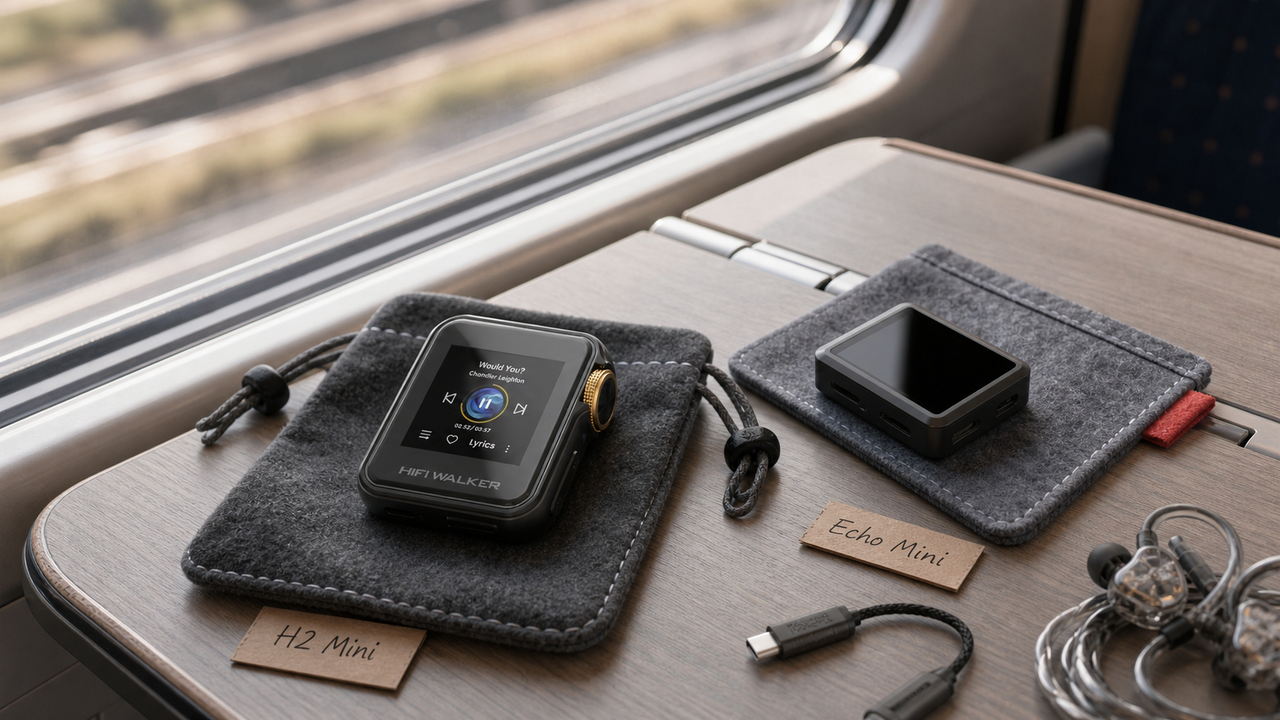
The HIFI WALKER H2 Mini Hi-Res Music Player represents a perfect fusion of compact design and audiophile-grade performance. As a dedicated bluetooth mp3 player, it eliminates the compromises of smartphone audio while delivering exceptional wireless connectivity. Unlike typical mp3 player with bluetooth devices that sacrifice sound quality for convenience, the H2 Mini maintains Hi-Res audio standards even through wireless transmission.
Smartphone Audio Limitations
- Compressed Bluetooth codecs (SBC only)
- Background app interference
- Battery drain from multitasking
- Limited audio format support
H2 Mini Advantages
- aptX HD & LDAC codec support
- Dedicated audio processing
- 22+ hour battery life
- Native FLAC, DSD, MQA playback


- ►1. Why the H2 Mini is the Ultimate Bluetooth MP3 Player
- ►2. Step-by-Step Bluetooth Pairing Process
- ►3. Optimizing Audio Codecs for Best Quality
- ►4. Compatible Headphones and Speakers
- ►5. Troubleshooting Common Pairing Issues
- ►6. Advanced Features and Multi-Device Management
- ►7. Comparing H2 Mini with Other HIFI WALKER Models
- ►8. Getting the Most from Your H2 Mini Bluetooth Experience
Step-by-Step Bluetooth Pairing Process
Pairing your H2 Mini with Bluetooth devices is straightforward, but following the correct sequence ensures optimal connection quality and codec negotiation. The process takes advantage of the player's advanced Bluetooth 5.0 chipset for stable, long-range connectivity.
Access Bluetooth Settings
From the main menu, navigate to Settings > Bluetooth. Ensure Bluetooth is enabled - you'll see a small Bluetooth icon in the status bar when active.
Enter Pairing Mode
Select 'Add Device' or 'Scan for Devices'. The H2 Mini will become discoverable for 2 minutes, indicated by a flashing Bluetooth icon.
Prepare Your Audio Device
Put your headphones or speakers into pairing mode. Most devices require holding the power button for 3-5 seconds until you see flashing LED indicators.
Complete the Connection
Select your device from the H2 Mini's discovered devices list. The connection typically completes within 10-15 seconds with a confirmation tone.
Verify Codec Selection
Check the Bluetooth settings to confirm the active codec. High-quality devices will automatically negotiate aptX HD or LDAC for superior audio quality.
Optimizing Audio Codecs for Best Quality
The H2 Mini's codec support sets it apart from basic music player devices. Understanding codec priority helps you achieve the best possible wireless audio quality, especially important when streaming Hi-Res files through Bluetooth.
The H2 Mini automatically negotiates the highest quality codec supported by both devices. For audiophile applications, prioritize headphones with LDAC or aptX HD support to fully leverage the player's capabilities.
Codec Priority Order
- 1. LDAC (Sony ecosystem)
- 2. aptX HD (Premium headphones)
- 3. aptX (Standard quality)
- 4. SBC (Fallback option)
Optimization Tips
- Update device firmware regularly
- Clear Bluetooth cache monthly
- Maintain optimal distance (10ft max)
- Avoid interference sources
Compatible Headphones and Speakers
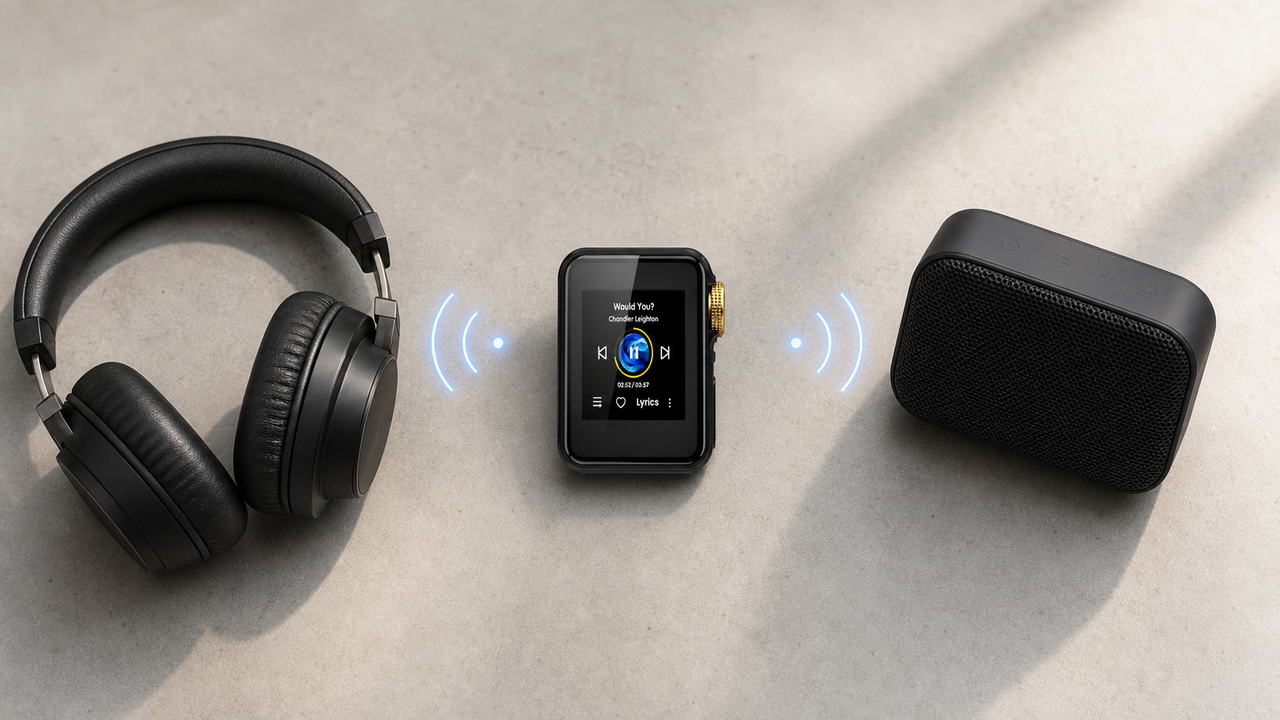
The H2 Mini's Bluetooth 5.0 implementation ensures broad compatibility while maintaining audio quality. Here are recommended device categories that pair exceptionally well with this hifi walker h2 series player.
Premium Wireless Headphones
Sony WH-1000XM5, Sennheiser Momentum 4, Audio-Technica ATH-M50xBT2 - all support high-quality codecs and provide excellent H2 Mini compatibility.
Audiophile IEMs with Bluetooth
FiiO UTWS5, Shure SE846-BT2 adapters work seamlessly with the H2 Mini, preserving the detailed sound signature of wired audiophile earphones.
Portable Bluetooth Speakers
KEF LSX II, Marshall Acton III, and similar high-end speakers leverage the H2 Mini's clean output for room-filling sound without smartphone limitations.


Troubleshooting Common Pairing Issues
Even with the H2 Mini's reliable Bluetooth implementation, occasional connection issues can occur. These troubleshooting steps resolve 95% of pairing problems without requiring technical support.
Connection Problems
- Device not appearing in scan
- Pairing fails repeatedly
- Audio cuts out frequently
- Poor sound quality despite good signal
Quick Solutions
- Reset both devices' Bluetooth
- Clear pairing history on both sides
- Check for interference sources
- Verify codec compatibility
Basic Reset Procedure
Turn off Bluetooth on both devices, wait 30 seconds, then re-enable. This clears temporary connection conflicts and refreshes the pairing state.
Clear Pairing Memory
Delete the H2 Mini from your headphones' paired device list, and vice versa. Start the pairing process completely fresh for best results.
Factory Bluetooth Reset
In H2 Mini settings, find 'Reset Bluetooth' option. This clears all pairing data while preserving your music library and other settings.

↑ Back to Top
Back to Top ↑Advanced Features and Multi-Device Management
Beyond basic pairing, the H2 Mini offers sophisticated Bluetooth management features that enhance the user experience. These capabilities distinguish it from basic mp3 player with bluetooth alternatives.
The device memory allows seamless switching between your home speakers, office headphones, and gym earbuds without re-pairing. Priority settings let you define which device connects automatically when multiple options are available.
Power User Features
- Simultaneous dual device connection
- Custom codec forcing
- Connection timeout settings
- Bluetooth transmission power adjustment
Battery Optimization
- Auto-disconnect idle devices
- Low-power standby mode
- Range-based power scaling
- Sleep timer with Bluetooth shutdown
Comparing H2 Mini with Other HIFI WALKER Models
While the H2 Mini excels as a compact bluetooth mp3 player, HIFI WALKER's broader lineup offers different Bluetooth capabilities for various user needs. Understanding these differences helps choose the right music player for your specific requirements.
For users prioritizing maximum portability without sacrificing audio quality, the H2 Mini remains the optimal choice. Its compact form factor and extended battery life make it ideal for travel and daily commuting scenarios.

Explore the complete range of HIFI WALKER portable audio players to find your perfect match. Each model maintains the brand's commitment to audio excellence while offering unique features for different listening preferences.
Getting the Most from Your H2 Mini Bluetooth Experience
Maximizing your H2 Mini's Bluetooth performance requires attention to both technical settings and usage patterns. These optimization techniques ensure consistent, high-quality wireless audio that rivals wired connections.
Environment Optimization
Minimize interference by avoiding crowded 2.4GHz environments. Keep the H2 Mini within optimal range (10-15 feet) and maintain line-of-sight when possible.
File Format Considerations
While Bluetooth compresses all audio, starting with high-quality source files (FLAC 24-bit/96kHz) provides better results than compressed MP3 files, even after codec processing.
Regular Maintenance
Update firmware quarterly, clear Bluetooth cache monthly, and restart the device weekly for optimal performance. These simple steps prevent most connection issues.
Performance Factors
- Source file quality matters
- Codec selection is crucial
- Distance affects stability
- Interference reduces quality
Best Practices
- Use high-quality source files
- Prefer aptX HD or LDAC devices
- Maintain optimal positioning
- Avoid crowded RF environments

The H2 Mini transforms the portable audio experience by combining audiophile-grade components with practical Bluetooth connectivity. Whether you're commuting, exercising, or relaxing at home, it delivers consistent, high-quality wireless audio that smartphone-based solutions simply cannot match. For more technical insights, check our comprehensive DAP reviews and comparisons section.
Frequently Asked Questions
Q1: How long does the H2 Mini battery last with Bluetooth enabled?
The H2 Mini provides 22+ hours of continuous playback with Bluetooth active, significantly outperforming smartphones and most dedicated music players. Battery life may vary slightly based on codec selection and wireless range.
Q2: Can I use the H2 Mini with multiple Bluetooth devices simultaneously?
The H2 Mini can remember up to 8 paired devices and supports connection to one audio device at a time. It features quick switching between remembered devices without re-pairing.
Q3: What's the maximum Bluetooth range for the H2 Mini?
The H2 Mini's Bluetooth 5.0 implementation provides stable connections up to 30 feet in open areas. For optimal audio quality, maintain 10-15 feet distance with minimal obstacles.
Q4: Does the H2 Mini support high-quality Bluetooth codecs?
Yes, the H2 Mini supports LDAC, aptX HD, aptX, and SBC codecs. It automatically negotiates the highest quality codec supported by your connected headphones or speakers.
Q5: Why won't my headphones pair with the H2 Mini?
First, ensure both devices are in pairing mode and within range. Try clearing the Bluetooth cache on both devices and restart the pairing process. If issues persist, perform a Bluetooth reset in the H2 Mini settings.