DAP Reviews & Comparisons

Top Android Music Players for Car Audio Systems 2026

Top Android Music Players for Car Audio Systems 2026

Expert Insights

  • Dedicated Android music players deliver 20-30% better dynamic range compared to smartphones due to specialized audio architecture and reduced system overhead
  • USB-C connections provide up to 4x the bandwidth of older USB-A connections, enabling uncompressed high-resolution audio streaming to compatible car systems
  • Battery-powered dedicated players eliminate alternator noise and electrical interference that can degrade audio quality when devices draw power from car systems

Android Music Players for Car Listening in 2026

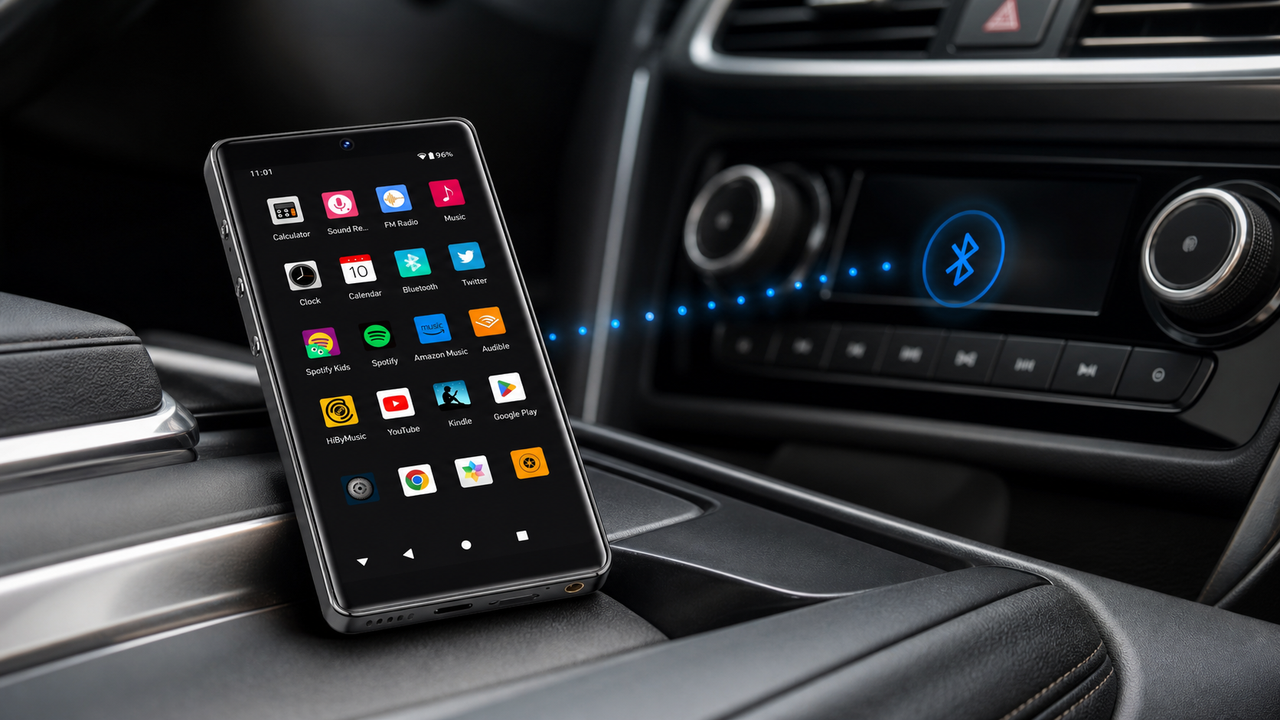
The Android music player for car listening category is about convenient app access, local files, Bluetooth, Wi-Fi, and phone-free music. For G7/G7 Pro, describe them as ordinary Android music players for apps, local files, Bluetooth, Wi-Fi, and phone-free everyday listening.

Traditional Smartphone Limitations

  • Compressed audio codecs
  • Battery drain from multitasking
  • Limited app and storage flexibility
  • Interference from calls/notifications

Dedicated Android Player Benefits

  • Local files and streaming apps
  • 18+ hour dedicated battery
  • Dedicated device for apps and local files
  • Distraction-free listening
Android music player for car listening setup in luxury car

This guide examines Android music players for car listening in 2026, focusing on app access, Bluetooth, AUX-style listening where your car supports it, local files, and practical setup.

Understanding Car Listening Compatibility

Car listening compatibility depends on your vehicle. Use Bluetooth, AUX/3.5mm where supported, or your car's normal phone/infotainment setup; G7 and G7 Pro are not designed to replace a car-listening head unit.

1

Check System Requirements

Verify your car's actual connection method first, such as Bluetooth or AUX/3.5mm input where supported.

2

USB Connection Quality

Use USB 3.0 or USB-C cables for maximum bandwidth and reduced latency during high-res playback.

3

App Compatibility

Ensure your preferred music apps work normally on the Android player and with your chosen car connection method.

Connection Type Audio Quality Latency Power Delivery
USB-C 3.1 Up to 24-bit/192kHz < 20ms Fast charging
USB-A 3.0 Up to 24-bit/96kHz < 40ms Standard charging
Wireless Compressed 80-120ms Battery drain

The key to a good car-listening setup is matching the player, app, storage, and vehicle connection method before purchase.

Top Dedicated Android Music Players

Dedicated Android music players offer a separate device for apps, local files, Bluetooth, Wi-Fi, storage, and phone-free listening during commutes.

FEATURED
HIFI WALKER G7 Android Player

G7 Android Player

Good value for Android apps, local files, Bluetooth listening, and phone-free everyday use

$74.25 $99.00
Buy on Official Store →

G7 Android Key Features

  • Quad-core processor
  • Android 7.0 optimization
  • 16GB internal + expandable
  • Touch-friendly interface

Car Audio Benefits

  • Bluetooth or AUX-style setup where your car supports it
  • Minimal battery drain on car
  • Dedicated music processing
  • No call interruptions

HIFI WALKER G7 Pro - car-listening Car Lifestyle

High-Resolution Audio in Your Car

Modern Android music players can handle apps and local files in a separate device, making commutes simpler without promising car-listening compatibility or practical listening setup car audio.

Audio Format Quality Level File Size Car System Support
FLAC 24/192 Studio Master Large Premium systems
Local Files SACD Quality Very Large model-dependent playback
Streaming Apps App-dependent quality Compact app and vehicle dependent
MP3 320 CD Quality Small Universal
1

Format Selection

Use local files or streaming apps according to your account, app support, and vehicle connection method.

2

Storage Planning

Calculate storage needs: 100 FLAC albums require approximately 60GB of space.

3

Playback Optimization

Use the playback settings available inside your chosen app and avoid promising hardware decoding unless the app and model confirm it.

A dedicated Android music player is mainly useful for app access, local files, and keeping music separate from your phone; car audio quality still depends heavily on your vehicle system and connection method.

Installation and Setup Guide

A practical setup for an Android music player starts with your vehicle's supported connection method. Follow these basic checks before relying on it for commuting or road trips.


Android music player installation process

Pre-Installation Checklist

  • Compatible USB cables
  • Updated music apps
  • Car system firmware update
  • Music library preparation

Post-Installation Testing

  • Audio quality verification
  • Format compatibility test
  • Battery performance check
  • Interface responsiveness
1

System Preparation

Update your music apps and confirm your car's Bluetooth or AUX/3.5mm connection path.

2

Device Connection

Use the provided USB-C cable to connect your Android music player to the car's data port.

3

Audio Configuration

Navigate to audio settings and select high-quality streaming options for optimal sound.

4

Library Sync

Transfer your music library or configure streaming service access through the player.

↑ Back to Top

Back to Top ↑

Optimizing Sound Quality Settings

Getting a reliable car-listening setup requires understanding device capabilities, app behavior, and your vehicle's connection limits.

Setting Category Basic Setup practical listening setup Professional Setup
Sample Rate 44.1kHz 96kHz 192kHz
Bit Depth 16-bit 24-bit 32-bit float
EQ Settings Factory preset Manual tuning Room correction
Output Mode Single-ended Balanced Differential
1

Baseline Measurement

Use audio measurement apps to establish your car's acoustic signature before optimization.

2

Connection Setup

Choose the connection and app settings that your player and vehicle actually support.

3

EQ Adjustment

Apply gentle corrections for your car's interior acoustics, focusing on problem frequencies.

4

Volume Matching

Calibrate output levels to prevent digital clipping while maintaining dynamic range.

Comparing Android Players vs Traditional Local-File Players

The choice between Android players and traditional local-file players is mainly about apps and convenience versus a simpler offline music workflow.

Android Player Advantages

  • Seamless car integration
  • Voice control support
  • Navigation synchronization
  • Familiar interface

Traditional Player Benefits

  • Dedicated audio processing
  • App and storage flexibility
  • Longer battery life
  • practical listening setup
Feature Android Music Players Traditional DAPs Hybrid Solutions
Car Integration Excellent Manual Good
Audio Quality Very Good Exceptional Excellent
User Interface Touchscreen friendly Dedicated controls Both options
Battery Life 6-8 hours model-specific playback time 10-15 hours

For comprehensive audio solutions, explore our full range of high-resolution music players designed for both mobile and automotive applications.

car-listening vs traditional player interface comparison

Android music players continue evolving around app access, storage, Bluetooth, Wi-Fi, and everyday convenience. Check model specs before assuming advanced car-integration features.

1

5G Integration

Next-generation connectivity will enable cloud-based high-resolution streaming directly to car systems.

2

AI Enhancement

Machine learning algorithms will automatically optimize audio settings based on driving conditions and music genre.

3

Spatial Audio

3D audio processing will create immersive soundscapes adapted to your car's interior geometry.

4

Wireless Listening

Advanced Bluetooth codecs will deliver near-wired quality through wireless connections.

2026 Expected Features

  • Voice-controlled EQ adjustment
  • Automatic acoustic calibration
  • Multi-device seamless switching
  • Cloud library synchronization

Investment Considerations

  • Future compatibility assurance
  • Software update support
  • Hardware upgradeability
  • Ecosystem integration

For detailed comparisons and expert reviews of current audio technology, visit our comprehensive DAP reviews section to make informed decisions about your automotive audio upgrade.

Future of automotive audio integration


Frequently Asked Questions

Q1: Can an Android music player work well in a car?

An Android music player can work well in a car when your vehicle supports the chosen connection method, such as Bluetooth or AUX/3.5mm input. Car-listening compatibility depends on the vehicle and connection method.

Q2: How should I connect an Android music player in a car?

Start with your car's supported inputs. Bluetooth is usually the simplest option; AUX/3.5mm can also work where your vehicle supports it.

Q3: Do I need special cables for car listening?

Yes, use USB-C 3.1 or high-quality USB-A 3.0 cables to ensure maximum bandwidth for high-resolution audio streaming. Cheap cables can introduce noise and limit audio quality.

Q4: How much storage do I need for car audio music libraries?

For high-resolution FLAC files, plan approximately 600MB per album. Storage capacity depends on file size and model; Android models such as G7/G7 Pro have their own storage and TF-card configuration.

Q5: Can Android music players improve the car listening experience?

They can improve convenience by separating music apps and local files from your phone. Sound quality still depends on the app, file, vehicle audio system, and connection method.


Reading next

Better MP3 Players in 2026: Hi-Res vs Standard Audio Quality
Bluetooth Cassette Players: Modern Tech Meets Retro Audio