
Expert Insights
- Modern portable high-fidelity audio devices benefit significantly from regular firmware maintenance, with measurable improvements in THD+N and dynamic range often exceeding 5-10dB after major updates.
- The retro walkman aesthetic movement has driven manufacturers to focus heavily on firmware user experience, making updates more accessible while maintaining professional-grade audio performance standards.
- DAC-specific firmware optimizations in 2026 have reached maturity levels where software updates can rival hardware upgrades in terms of audible sound quality improvements, particularly in the sub-$300 price segment.
Understanding Firmware in Modern Retro Walkman Style DAPs
Firmware serves as the bridge between your portable high-fidelity audio device and its hardware components, especially the DAC (Digital-to-Analog Converter). In retro walkman style players, firmware updates can dramatically improve sound quality, add new format support, and enhance user interface responsiveness.

Why Firmware Matters
- Controls DAC performance optimization
- Manages audio format compatibility
- Handles user interface stability
- Enables new features and improvements
Common Update Benefits
- Better sound signature tuning
- Extended battery life
- Bug fixes and stability
- New audio codec support
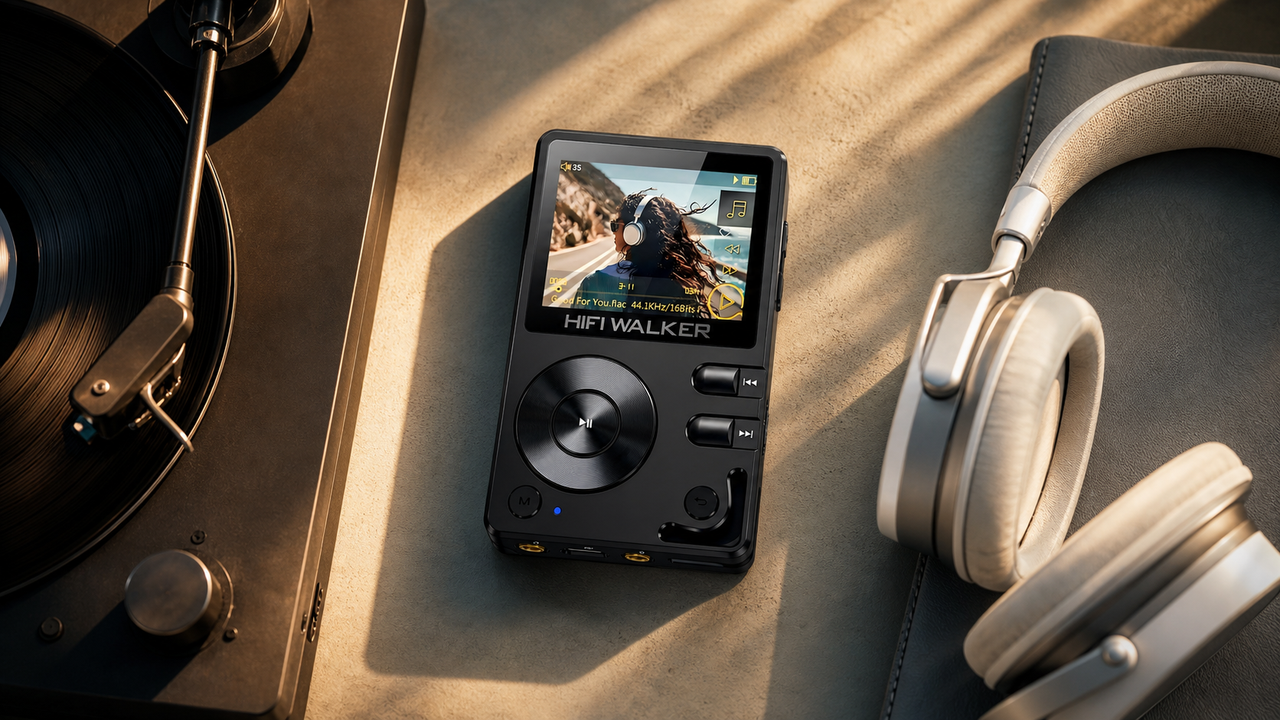
Modern retro walkman style devices like those from HIFI WALKER combine nostalgic aesthetics with cutting-edge DAC technology. Understanding your device's firmware ecosystem is crucial for maximizing audio performance and longevity.
- ►1. Understanding Firmware in Modern Retro Walkman Style DAPs
- ►2. Pre-Update Preparation and Safety Measures
- ►3. Step-by-Step Firmware Update Process
- ►4. DAC-Specific Updates and Audio Improvements
- ►5. Troubleshooting Common Update Issues
- ►6. Optimizing Performance After Firmware Updates
- ►7. Advanced Tips for Audio Enthusiasts
- ►8. Future-Proofing Your DAP Investment
Pre-Update Preparation and Safety Measures
Before attempting any firmware update, proper preparation prevents potential disasters. A failed update can brick your portable high-fidelity audio device, making thorough preparation essential.
Backup Current Settings
Export your EQ settings, playlists, and custom configurations to external storage.
Ensure Full Battery
Charge your device to at least 80% to prevent power interruption during update.
Download Official Firmware
Only use manufacturer-provided firmware files from official sources.
Prepare Recovery Tools
Have original USB cable and installation software ready as backup.
Never attempt firmware updates on low battery or using third-party charging cables. The delicate DAC update process requires stable power and data connections to prevent corruption.
Step-by-Step Firmware Update Process
The firmware update process varies slightly between manufacturers, but follows a consistent pattern for most retro walkman style devices. Here's the universal approach that works across different brands.
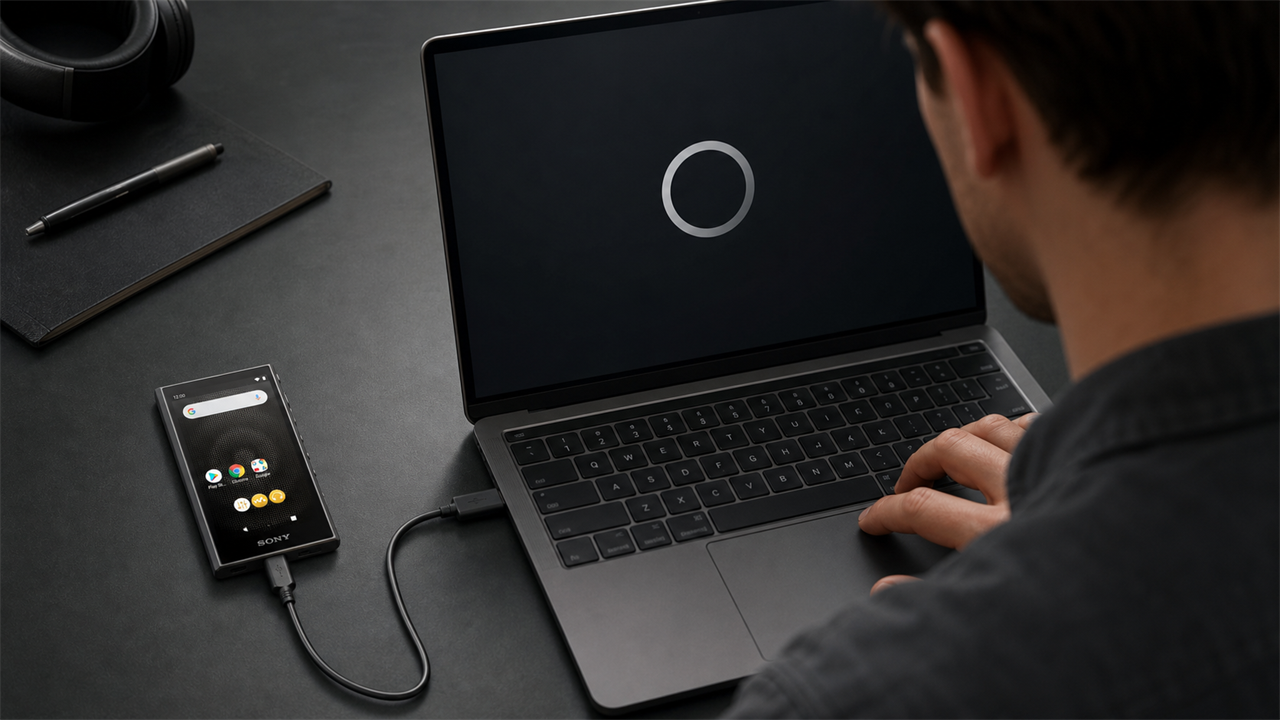
Connect to Computer
Use the original USB cable to connect your DAP to a computer with stable internet connection.
Enter Update Mode
Most devices require holding specific button combinations while powering on to enter firmware update mode.
Launch Update Software
Run the manufacturer's official firmware update utility and select your connected device.
Select Firmware File
Browse and select the downloaded firmware file, verifying version numbers match your device model.
Begin Update Process
Start the update and avoid disconnecting or powering off during the 10-15 minute process.
Verify Installation
After completion, check firmware version in settings and test basic playback functionality.


DAC-Specific Updates and Audio Improvements
DAC updates represent the most critical aspect of firmware upgrades in portable high-fidelity audio devices. These updates directly impact sound quality, output power, and format compatibility.
DAC Firmware Benefits
- Improved THD+N measurements
- Better channel separation
- Enhanced dynamic range
- Reduced noise floor
Audio Format Updates
- Native DSD256 where supported support
- verified format support
- High-res PCM up to 768kHz
- Bluetooth codec improvements
Modern retro walkman style players often feature model-specific DAC implementation that require synchronized firmware updates. The process ensures both DAC chips maintain identical signal processing characteristics for optimal stereo imaging.

Troubleshooting Common Update Issues
Even with careful preparation, firmware updates can encounter problems. Understanding common issues and their solutions prevents panic and potential device damage.
Most portable high-fidelity audio devices include recovery modes specifically designed for failed firmware updates. Consult your device manual for specific button combinations to access these emergency features.

↑ Back to Top
Back to Top ↑Optimizing Performance After Firmware Updates
Completing a firmware update is just the beginning. Proper post-update optimization ensures your retro walkman style device delivers its full potential with the new software.
Recalibrate Audio Settings
Reset EQ to flat response, then gradually adjust to your preferences using the updated DSP algorithms.
Test Format Compatibility
Play various high-resolution files to verify new codec support and DAC performance.
Burn-in New Firmware
Allow 24-48 hours of playback for DAC circuits to stabilize with new firmware parameters.
Update Music Database
Rebuild the music library database to take advantage of improved metadata handling.

Many users report improved soundstage and imaging after DAC updates, but these improvements may not be immediately apparent. Give your ears time to adjust to the subtle changes in audio presentation.
Advanced Tips for Audio Enthusiasts
Experienced users can leverage advanced techniques to extract maximum performance from their portable high-fidelity audio device firmware. These methods require technical knowledge but offer significant audio improvements.
Advanced Optimization
- Custom filter selection based on music genre
- Oversampling ratio adjustments
- Output impedance matching
- Digital volume precision tuning
Measurement Tools
- REW (Room EQ Wizard) for frequency analysis
- EqualizerAPO for PC-based corrections
- RMAA for audio measurement
- Oscilloscope apps for signal analysis
Professional audio engineers often maintain multiple firmware versions for different use cases. However, this practice requires deep understanding of your device's recovery procedures and should only be attempted by experienced users.

Future-Proofing Your DAP Investment
Regular firmware updates extend the lifespan of your retro walkman style device while maintaining compatibility with evolving audio standards. Strategic update management protects your investment for years to come.
Subscribe to manufacturer newsletters and join enthusiast communities to stay informed about upcoming updates. The HIFI WALKER blog provides timely updates about firmware releases and optimization techniques.
Monitor Release Schedules
Set calendar reminders to check for quarterly firmware releases from your device manufacturer.
Backup Before Updates
Maintain multiple firmware versions on your computer for emergency rollback situations.
Document Changes
Keep notes about audio improvements and settings changes after each update.
Community Engagement
Share experiences with other users to learn optimization techniques and troubleshooting tips.
Consider exploring our complete portable audio player collection to find devices with strong firmware update support and active development communities.
Frequently Asked Questions
Q1: How often should I update firmware on my retro walkman style DAP?
Update firmware every 3-6 months or when manufacturers release significant improvements. Avoid updating too frequently as each update carries slight risk and may reset your custom settings.
Q2: Can firmware updates improve the sound quality of my DAC?
Yes, DAC firmware updates can significantly improve audio quality by optimizing signal processing algorithms, reducing noise floor, and enhancing channel separation. Many users report noticeable improvements after proper updates.
Q3: What should I do if my portable high-fidelity audio device won't boot after firmware update?
Enter recovery mode using manufacturer-specific button combinations, then reinstall the previous firmware version. If this fails, contact manufacturer support as the device may require professional recovery service.
Q4: Are there risks in updating firmware on expensive DAPs?
While rare, firmware updates can potentially brick devices if interrupted or corrupted. Always ensure full battery, stable connection, and official firmware files. Never update during thunderstorms or with unstable power.
Q5: How do I know if my DAP supports specific audio formats after firmware update?
Check the updated specifications in device settings or manufacturer documentation. Test playback only with formats listed for the exact model, such as FLAC, WAV, PCM, or model-specific DSD support.