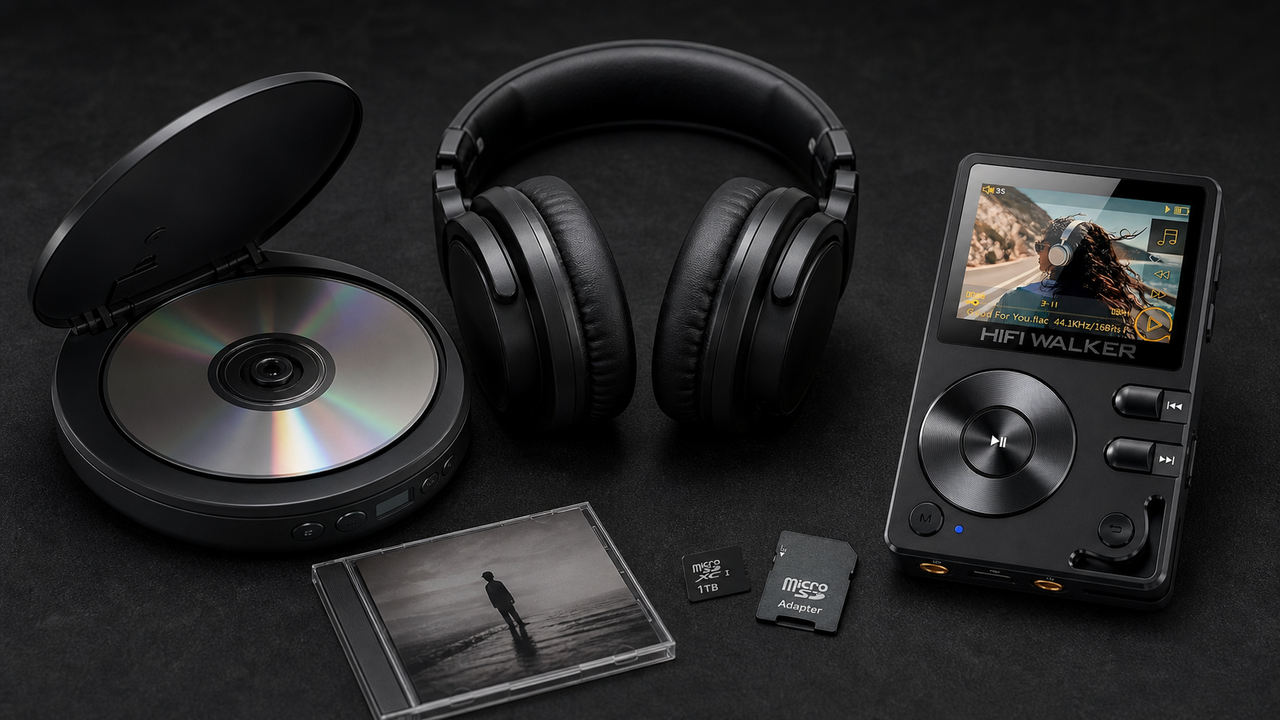
Quick Take: Why This Matters
- Your H2 player already has Bluetooth — but that's for sending music to wireless headphones. To stream music from your H2 through your favorite wired speakers or car stereo, you need a Bluetooth adapter in receiver mode (RX).
- The right Bluetooth receiver connects to your amplifier's AUX or RCA input, instantly giving your vintage system wireless streaming capability from any Bluetooth source — especially your H2.
- Sound quality depends on the adapter's codec support. Look for aptX HD or LDAC to preserve hi-res detail when streaming from your H2 to wired speakers. Your H2 supports both.
- One adapter can transform a vintage stereo, powered bookshelf speakers, or even a car's aux input — no soldering, no expensive upgrades.
The Smart Trick: Turn Any Wired Speaker Into a Wireless One for Your H2 Player
You already own a HIFI WALKER H2 Hi-Res player — it's your portable music heaven. But at home, you have a pair of beloved wired speakers or an old amplifier that sounds fantastic. Wouldn't it be great to stream music from your H2 to those big speakers without unplugging cables every time?
Here's the solution: a Bluetooth audio receiver (a type of Bluetooth adapter). Your H2 already transmits Bluetooth (that's its built-in transmitter). What you need is a separate receiver to catch that signal and feed it into your wired audio system. This article shows you exactly how to pair a Bluetooth receiver with your H2 player — step by step — and why this setup beats using your phone or buying new "smart" speakers.
❌ What Doesn't Work
- Plugging your H2 directly into wired speakers — you're stuck with a cable.
- Using your phone as a bridge — degrades sound and drains battery.
- Buying a "Bluetooth transmitter" — that's the opposite of what you need.
✅ The Right Setup (Receiver Mode)
- Bluetooth receiver (RX mode) connected to your speaker's AUX/RCA input.
- H2 player acts as the Bluetooth source (same as pairing wireless headphones).
- Keep your H2 in your pocket — speakers play wirelessly with full hi-res quality.
Let's walk through the exact gear, cable, and pairing process so you can set this up in under five minutes.

What Your H2 Is Capable Of: Bluetooth Specification Breakdown
Before we jump into the setup, it's worth understanding exactly what your H2 can do. The HIFI WALKER H2 is equipped with bi-directional Bluetooth 5.1, which means it can both transmit and receive audio — but in this guide, we're leveraging its transmit (TX) capability. It supports multiple high-quality audio codecs:
The H2 is equipped with the ESS ES9018K2M DAC and supports native DSD decoding up to DSD128, delivering a signal-to-noise ratio of ≥107dB. With Bluetooth 5.1 and support for Qualcomm aptX technology, your H2 is ready to send high-quality wireless audio to any compatible receiver.

How to Set Up: H2 + Bluetooth Receiver (Step by Step)
You need three things: your HIFI WALKER H2 player, a Bluetooth receiver (set to RX mode), and an audio cable (3.5mm to RCA or 3.5mm to 3.5mm) depending on your speaker inputs.
Connect the receiver to your speakers
Plug one end of the audio cable into the receiver's 3.5mm audio out. Plug the other end into your speaker's AUX input, or your amplifier's RCA input using a 3.5mm-to-RCA cable.
Power on the receiver and set to RX mode
Most adapters have a physical switch: "TX" (transmit) and "RX" (receive). Slide it to RX. The LED will start flashing slowly — meaning it's ready to pair. Power the adapter via USB (included cable).
Pair your H2 player
On your H2, go to Settings → Bluetooth → turn it ON. Scan for devices. You'll see the receiver's name (e.g., "BT-02" or "Audioengine B1"). Tap to pair. A voice prompt or solid LED confirms connection.
Play music — and walk away
Start any track on your H2. Sound will come out of your wired speakers wirelessly. Keep the H2 in your hand or pocket — the receiver stays connected up to 30 feet in open space.

Sound Quality: Why Codecs Matter for Your H2 Setup
Your H2 player supports high-quality Bluetooth codecs including aptX HD and LDAC (depending on the model). But the receiver must support the same codec to get the benefit. Otherwise, both devices fall back to standard SBC — which is acceptable but not hi-fi.
Pro tip: Before buying a receiver, check its codec support. Many cheap receivers only support SBC. For your H2, aim for at least aptX HD. If you have a model with LDAC support, get a receiver with LDAC to preserve that magical detail.
A high-quality Bluetooth receiver features a dedicated DAC chip that processes the digital audio signal before sending it to your amplifier. Premium models like the Musical Fidelity V90-BLU5 HD use a separate Burr-Brown PCM1781D DAC with re-clocking and up-sampling, ensuring Bluetooth audio retains warmth, detail, transparency, and dynamics. This is a significant upgrade over cheap receivers that rely on the integrated DAC within the Bluetooth chip.

Top Bluetooth Receivers Compatible With Your H2 Player
You don't need to spend a fortune. Here are solid options — from budget to audiophile — that pair perfectly with your HIFI WALKER H2:
Audioengine B1
Features aptX Adaptive technology, 32-bit audio processing, and RCA outputs. Perfect for vintage systems.
$189.00
FiiO BR13
Supports LDAC, aptX HD, aptX Adaptive, AAC, and can connect to two source devices simultaneously. RCA, coaxial, and optical outputs.
~$109.00
iFi Audio Zen Blue V2
ESS Sabre DAC, Qualcomm 5100 Bluetooth 5.1, supports all major codecs including LDAC and aptX HD. 4.4mm balanced output plus RCA.
$229.00
Bonus: Use This Setup in Your Car
Does your car have an AUX input? Great — plug a Bluetooth receiver into the AUX port, pair it with your H2, and you've got wireless streaming from your lossless library. No more fumbling with cables or relying on phone apps for music playback. What if your car has no AUX? Use an FM transmitter with AUX input: connect the receiver to the FM transmitter, tune to an unused radio frequency, and stream away. Sound quality takes a small hit, but it's still better than most phone solutions.

Frequently Asked Questions
Q1: My H2 already has Bluetooth. Why do I need an adapter?
The H2 can send Bluetooth to headphones or speakers that are already Bluetooth-enabled. For old wired speakers, they have no Bluetooth chip. A receiver adds that missing chip to the speaker side.
Q2: Will I lose sound quality compared to a wired connection?
With a high-quality receiver that supports aptX HD or LDAC, the difference is very hard to hear for most people. The H2's ESS DAC and high-quality codec support minimize compression artifacts. Standard SBC receivers will sound noticeably compressed. Invest a bit more for a good codec.
Q3: Can I use multiple receivers with one H2?
No, basic Bluetooth allows one active connection at a time. However, some advanced receivers (like the FiiO BR13) can connect to two source devices simultaneously, but not the reverse.
Q4: Does the receiver need to be re-paired every time?
No. Once paired, most receivers and the H2 will automatically reconnect when both are powered on and in range — usually within 5–10 seconds. Many adapters remember the last paired device for instant reconnection.
Q5: How do I avoid interference or signal dropouts?
Keep your Bluetooth receiver away from metal surfaces, microwaves, or Wi-Fi routers, which can cause 2.4GHz interference. Update the receiver's firmware if available, and ensure both the H2 and receiver have line-of-sight within their rated range.
Unlock Your H2's Full Potential
A $30–$90 Bluetooth receiver can breathe new life into an old stereo, a pair of powered speakers, or even your car audio. Your HIFI WALKER H2 player already has the transmission side covered — you just need the other half of the equation. The H2's ESS ES9018K2M DAC, DSD support, and Bluetooth 5.1 make it a formidable wireless source. Pick a receiver with aptX HD or LDAC support, follow the four steps above, and enjoy your lossless library through your favorite wired speakers without a single cable touching your player.
Ready to cut the cord? Browse the complete HIFI WALKER player collection and find the perfect companion for your audio journey — all models support this Bluetooth receiver trick effortlessly.